 Home
Home
12 Best Free AI Video Generation Tools in 2026 Tested for Quality
In late 2026, the market for free AI video generation has matured into a credit-based economy. While Sora 2 and Google Veo 3.1 represent the pinnacle of visual fidelity, they are largely accessible through one-time trials or aggregator platforms. For sustainable, daily free usage, Kling 3.0 stands out as a top choice with its generous daily credit refresh, while PixVerse remains a strong contender for stylized and social media content. If you require watermark-free output without a subscription, running open-source models like Wan2.1 locally is the only truly unlimited path.
The landscape of artificial intelligence has shifted dramatically since the initial video-gen boom. In 2026, we no longer ask if AI can generate video; we ask how long the clip can be and how much it costs. The "experimental" phase is over, replaced by production-ready tools that can simulate complex physics, maintain character consistency, and follow intricate directorial prompts. However, as compute costs remain high, the definition of "free" has become more nuanced.
According to recent industry analysis, most users now navigate three distinct tiers of free access: Daily Credit Allowances (which refresh every 24 hours), One-time Trials (designed to hook professional users), and Open-Source/Local Compute (which are free in terms of software but "cost" in terms of hardware electricity and VRAM). This guide breaks down the most viable options available today, based on extensive testing of motion quality, prompt adherence, and the "cost of free."
The 2026 Transparency Matrix: Which Free Tool Is Actually Free?
Before diving into individual reviews, it is essential to understand the limitations of each platform. The following matrix compares the top-rated tools based on their free-tier offerings as of September 2026.
| Tool Name | Free Access Type | Daily Limit | Watermark? | Max Resolution |
|---|---|---|---|---|
| Kling 3.0 | Recurring Credits | ~66 Credits | Yes | 1080p |
| PixVerse | Recurring Credits | 50 Credits | Yes | 720p |
| Google Veo 3.1 | Creative Sessions | Varies | Digital SynthID | 1080p |
| Runway Gen-4.5 | One-time Trial | 125 Total | Yes | 720p |
| Wan2.1 | Open Source | Unlimited* | No | 4K (Local) |
| HeyGen | Monthly Credits | 1 min/mo | Yes | 720p |
| Higgsfield | Daily Credits | 5 Clips | Yes | 1080p |
*Unlimited generation for Wan2.1 assumes the user has the necessary local hardware (24GB+ VRAM) to run the model.

Image source: Fello AI
Which Free AI Video Generators Offer the Best Daily Credits?
For most creators, a one-time trial is not enough. You need a tool that allows for consistent experimentation. In 2026, the "Daily Credit" model is the most popular way for companies to maintain a user base while managing server loads.
Why Kling 3.0 Ranks Among the Top for Daily Usage
Kling 3.0 has solidified its position as a favorite among the Reddit and Discord creative communities. Unlike many Western counterparts that offer a single bucket of credits that never refills, Kling provides approximately 66 credits every 24 hours. This is typically enough to generate 4 to 6 high-quality clips of 5-10 seconds each.
What sets Kling apart is its physics engine. In our testing, Kling 3.0 handled complex fluid dynamics—such as coffee pouring into a cup or waves crashing against a jagged cliff—with a level of realism that few competitors match. However, free users should be prepared for the "Queue Reality." During peak hours (UTC 12:00–16:00), wait times for free renders can range from 5 to 15 minutes. According to WaveSpeedAI's 2026 report , Kling's prompt adherence has improved by 40% over the previous version, making it a highly reliable choice for text-to-video workflows.
PixVerse and Pika: The Social Media Specialists
If your goal is to create stylized content—such as anime-inspired clips or vibrant social media ads—PixVerse and Pika are excellent choices. PixVerse offers a daily allowance of 50 credits, which is particularly useful for its "Character Consistency" feature, allowing you to use the same AI-generated face across multiple clips. This is a significant advancement for creators building recurring digital influencers.
Pika, while more restrictive in its clip length (usually 3–4 seconds for free users), offers a unique "Sound Effects" (SFX) generation feature that automatically syncs audio to the motion in your video. This makes it a top-tier option for quick TikTok or Reels content where immediate impact is required. Pika’s replenishment rate typically grants users enough credits for 30 generations per month, though these do not always refresh daily like Kling’s.
Can You Use Sora 2 and Google Veo 3.1 for Free?
OpenAI’s Sora 2 and Google’s Veo 3.1 are widely regarded as the most technologically advanced models in existence. However, their high compute requirements mean they are rarely "truly" free. Instead, access is granted through specific ecosystem loopholes.
Accessing OpenAI Sora 2 Through Aggregator Platforms
Direct access to Sora 2 often requires a ChatGPT Plus subscription or an enterprise license. However, in 2026, several "Model Hubs" or aggregators have emerged. Platforms like WaveSpeedAI allow users to access a limited number of Sora 2 generations using starter credits provided upon signup. While this is not a sustainable long-term free solution, it allows creators to use Sora 2 for their most critical scenes—those requiring perfect human anatomy or complex spatial reasoning that cheaper models might fail to execute.
Leveraging Google Veo 3.1 via VideoFX
Google has taken a different approach by integrating Veo 3.1 into its "VideoFX" laboratory. As of late 2026, users with a standard Google account can participate in "Creative Sessions." These sessions allow for a set number of generations per day at no cost, provided the user agrees to have their outputs tagged with Google’s SynthID—an invisible digital watermark that identifies the content as AI-generated. This integration is particularly powerful for YouTube creators, as Veo 3.1 outputs can be sent directly to the YouTube Shorts editor, bypassing the need for manual downloads and uploads.
You are significantly more likely to get a usable video by starting with a free AI image (from tools like Leonardo.Ai or Wireflow) than by using a raw text prompt. Most video generators handle "Image-to-Video" much better than "Text-to-Video" because the starting frame provides a clear anchor for the AI's spatial understanding.
Which AI Video Tools Have No Watermark on the Free Tier?
The "No Watermark" holy grail is increasingly difficult to find in 2026. Most cloud-based providers use watermarks as a branding tool and a deterrent for free-tier commercial use. However, there are two primary ways to bypass this.
The CapCut Desktop Loophole
CapCut, owned by ByteDance, has integrated powerful AI video generation features directly into its desktop application. Because CapCut’s business model relies on its massive social media ecosystem rather than selling compute credits, it currently offers one of the only ways to export AI-generated clips without a visible watermark on the free tier. Users can generate short clips (up to 5 seconds) using the "AI Script to Video" tool and export them directly. While the resolution is often capped at 720p for free users, the lack of a watermark makes it a popular choice for budget-conscious creators.
Open-Source Models: Wan2.1 and CogVideoX
For those with a powerful PC, the concept of "credits" is irrelevant. Open-source models like Wan2.1 and CogVideoX have become remarkably capable. These models are "open-weight," meaning you can download them and run them on your own hardware using interfaces like ComfyUI or Automatic1111.
According to PixVerse's technical comparison , running these models locally requires at least 24GB of VRAM (such as an NVIDIA RTX 3090 or 4090) to achieve high-quality 1080p results. The benefit is total creative freedom: no watermarks, no content filters, and no daily limits. This is the path chosen by "Power Users" who are willing to trade a steep learning curve for unlimited production value.
Top-Rated Free AI Tools for Specific Video Use Cases
Not all video generators are built for the same purpose. Choosing the right tool depends heavily on whether you are making a cinematic short film, a corporate presentation, or a high-action social clip.
HeyGen: The Leader for AI Avatars and Localization
If you need a "talking head" video, HeyGen remains a top-tier option. Its free tier is restrictive—offering only 1 minute of video per month—but the quality is exceptionally strong. HeyGen’s 2026 update introduced "Video Agent," which can take a URL or a PDF and automatically generate a script, a professional avatar, and relevant B-roll.
For businesses, the value lies in localization. HeyGen claims 95% accuracy in lip-syncing across 120+ languages. As noted in HeyGen's own documentation , large enterprises like Workday have used these tools to reduce video localization costs by up to 80%. For a free user, this is the best way to create a professional-looking "About Me" or "Product Intro" video without a camera.
Higgsfield: Optimized for Action and FPV Drone Shots
A common complaint among AI video enthusiasts on Reddit is that models like Sora often "smooth out" motion too much, making action scenes look floaty. Higgsfield has carved out a niche by focusing on high-energy motion. It is widely considered one of the best tools for simulating FPV (First-Person View) drone shots or fast-paced sports highlights. The Higgsfield mobile app allows for 5 free generations per day, making it a favorite for creators who want to generate content on the go.
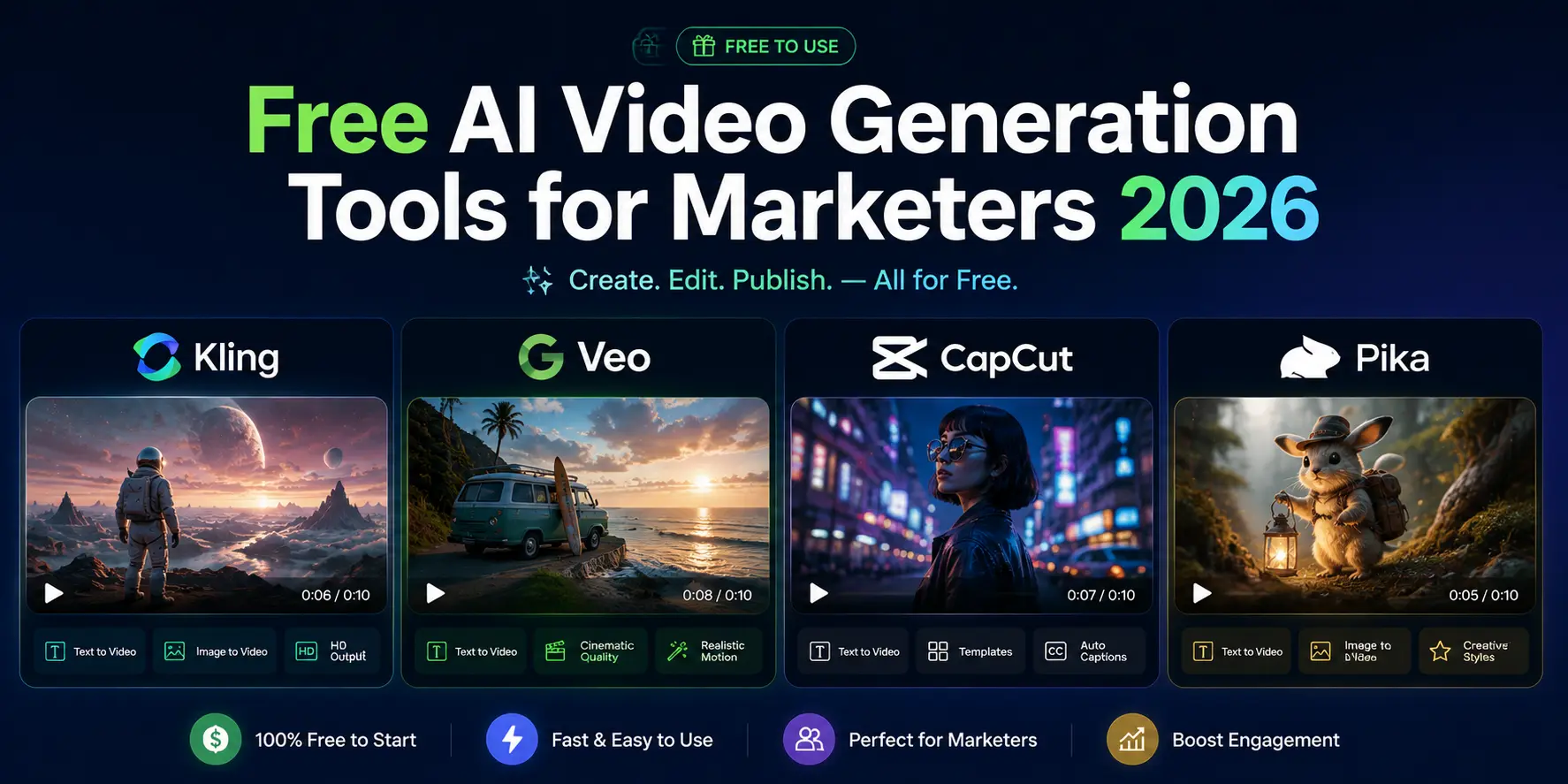
Image source: DizitalAdda
How to Build a $0 Production Pipeline (The Advanced Workflow)
Professional creators rarely rely on a single tool. Instead, they stack the free tiers of multiple platforms to bypass individual limitations. This "$0 Production Pipeline" allows you to create high-quality, watermark-free content by using each tool for its specific strength.
- Scripting and Storyboarding: Use the free tier of Claude 3.7 or ChatGPT-5 to generate a detailed scene-by-scene prompt list. Ask the AI to include "camera angles, lighting conditions, and specific motion descriptors" to ensure better results in the next step.
- The "Image-First" Generation: Take your scene descriptions to Leonardo.Ai or Wireflow . Use their daily free credits to generate high-resolution, cinematic images for each scene. This ensures visual consistency that text-to-video often lacks.
- Animation with Precision: Upload your images to Kling 3.0 or Runway Gen-4.5 . Use the "Motion Brush" feature to paint only the areas you want to move (e.g., the flowing water or a character's hair). This prevents the "melting background" effect common in fully automated generations.
- Upscaling and Sharpening: Free-tier videos are often "soft" or blurry. Use a free AI upscaler like Upscayl (open source) to sharpen the faces and textures. This can turn a 720p clip into something that looks like native 1080p or 4K.
- Final Assembly and Audio: Import your clips into CapCut Desktop or DaVinci Resolve (Free Version). Add royalty-free music and use CapCut’s AI voiceover tool to add narration. By editing the clips together, you can hide watermarks by cropping or placing text overlays strategically.
Common Pitfalls and How to Fix Them
Even the most advanced free tools in 2026 have quirks. Understanding these limitations will save you hours of wasted credits.
Fixing "Soft Faces" and Motion Artifacts
A frequent issue in free-tier outputs is "facial melting," where a character's features distort during movement. This is usually caused by the model trying to save compute by lowering the sampling steps. To fix this, try the "Multi-Prompt" technique: instead of just saying "a man walking," use "a man walking, sharp facial features, highly detailed eyes, 8k resolution, cinematic lighting." If the face still distorts, use the "Image-to-Video" method mentioned earlier, as the AI will have a clear reference for the face's structure.
Managing Queue Times and Credit Expiration
Free users are always at the bottom of the priority list. To avoid long wait times, try batch-prompting during off-peak hours. For US-based users, this is typically between 02:00 and 06:00 UTC. Additionally, be aware of the difference between Recurring Credits (which you lose if you don't use them by the end of the day) and One-time Deposits . Never "save" your Runway credits for a rainy day; use them to learn the tool, then move on to a daily-refresh model like Kling.
"The secret to AI video in 2026 isn't finding the one tool that does everything; it's knowing which tool to use for the first 5 seconds of your shot and which to use for the last 5." — Community Insight from r/GenerativeAI
Frequently Asked Questions
Which free AI video generator has no watermark in 2026?
As of late 2026, almost all cloud-based free tiers (like Kling, HeyGen, and Runway) include a watermark. The only reliable ways to get watermark-free video for free are: 1) Using the integrated AI tools in the CapCut Desktop app, or 2) Running open-source models like Wan2.1 or CogVideoX locally on your own hardware. Some users also use "Creative Sessions" in Google's VideoFX, which uses invisible SynthID watermarks rather than visual overlays.
Can I monetize YouTube videos made with free AI tools?
This depends on the tool's Terms of Service. Most free tiers (such as Adobe Firefly and HeyGen ) restrict outputs to "Personal Use Only," meaning you cannot legally monetize them on YouTube or use them for commercial ads. However, models like Kling and Pika have more relaxed policies, often allowing monetization if the watermark remains visible. Always check the specific license for the "Free" vs "Pro" tier before uploading to a monetized channel.
How many free seconds of video can I generate per day with Google Veo?
Google's VideoFX limits vary based on server demand, but users typically receive enough credits for 3 to 5 "Creative Sessions" per day. Each session allows you to generate and refine a clip of up to 6 seconds. If you are a Google Workspace subscriber, these limits may be higher, and the integration with YouTube Shorts allows for seamless posting of these clips.
What is the best open-source AI video generator for local installation?
Wan2.1 is widely considered the top-rated open-source model in 2026. It offers a 14B parameter version that rivals Sora in quality, provided you have a GPU with at least 24GB of VRAM. For users with mid-range hardware (12GB-16GB VRAM), CogVideoX-5B is a more accessible alternative that still produces excellent 720p motion with no watermarks.
How do I get around the 5-second limit on free clips?
Most free tools cap clips at 3–5 seconds to save compute. To create longer videos, use the "Extend Video" feature found in Kling or Runway. This allows you to use the last frame of your first clip as the first frame of a new 5-second clip. By repeating this process and stitching the results together in a free editor like DaVinci Resolve, you can create seamless 30-second sequences.
Final Thoughts
Navigating the world of free AI video in 2026 requires a strategic approach rather than a search for a single "perfect" tool. Here are the key takeaways for your production workflow:
- Kling 3.0 is your primary tool for high-realism physics and daily experimentation.
- PixVerse and Pika are the top choices for stylized social media content and character consistency.
- HeyGen remains the standard for professional avatars, even with its strict 1-minute monthly limit.
- Wan2.1 is the only path to unlimited, watermark-free 4K video if you have the hardware.
- CapCut Desktop offers the most user-friendly loophole for exporting AI clips without watermarks.
- The $0 Pipeline (stacking multiple tools) is the most effective way to achieve professional results without a subscription.
Start by signing up for Kling 3.0 today to take advantage of the daily credit refresh and begin building your first AI-generated scene.















