Home
Are You Looking for Gulbot or the Quillbot AI Writing Assistant?
In most cases, "Gulbot" is a common misspelling of Quillbot , a leading AI writing suite used by over 35 million people worldwide. However, it can also refer to the Gullintanni Gulbot (a technical GitHub merge bot) or be confused with Galbot (a robotics firm specializing in embodied AI). If you are looking to paraphrase text or check grammar, you are likely searching for Quillbot.
Why Most People Searching for Gulbot Actually Want Quillbot
The term "Gulbot" has become a frequent search query primarily due to typographical errors. As users rush to find AI-driven writing assistance, the phonetic similarity between "Quill" and "Gul" leads many to the wrong spelling. According to official data from Quillbot , the platform serves a massive global audience, making it the most probable destination for this search intent.
While the writing tool is the primary target, the digital landscape in 2026 includes several niche tools with similar names. To help you identify exactly which "bot" you need, we have developed a decision framework based on your specific goals.
Identifying the Tool You Need
Before diving into setup guides, use the table below to confirm which technology matches your current project. Whether you are an academic writer, a software engineer, or a robotics enthusiast, the distinction is critical.
| Tool Name | Primary Function | Target User | Platform |
|---|---|---|---|
| Quillbot | AI Paraphrasing & Grammar | Writers, Students, Pros | Web, Chrome, Word |
| Gullintanni Gulbot | GitHub Merge Automation | DevOps, Go Developers | GitHub, AWS Lambda |
| Galbot | Embodied AGI Robotics | Researchers, Tech Firms | Physical Hardware |
| GluBot | Woodworking Glue Bottle | Carpenters, DIYers | Physical Tool |
How to Use the Quillbot Humanizer to Avoid AI Detection
As of 2026, the writing landscape has shifted significantly. Academic institutions and professional publishers now employ aggressive AI detectors to identify content generated by Large Language Models (LLMs). This has led to the rise of the Quillbot Humanizer , a specialized mode designed to bridge the gap between machine-generated text and natural human expression.
Unlike standard paraphrasing, which often focuses on simple synonym replacement, the Humanizer mode adjusts the "burstiness" and "perplexity" of the text. These are the two primary metrics that AI detectors use to flag content. By varying sentence length and using more idiomatic phrasing, the tool helps content sound more authentic.
The Technical Shift to Humanizer Mode
According to recent reviews on the Chrome Web Store , the Humanizer is now a core feature for users looking to maintain a natural tone. To use it effectively, follow these steps:
- Input Your Draft: Paste your AI-generated or rough draft into the Quillbot editor.
- Select Humanizer Mode: Choose the "Humanizer" option from the mode selection menu. This mode is specifically tuned to bypass common detection patterns.
- Adjust the Synonym Slider: This is a critical step. Moving the slider to the right increases the number of changes, while moving it to the left keeps the text closer to the original. For the best balance of readability and "human" feel, a middle-ground setting is often recommended.
The Humanizer Loop for Professional Content Creation
For high-stakes content, such as white papers or university submissions, a single pass through a paraphraser is rarely sufficient. Professional creators in 2026 utilize what is known as the "Humanizer Loop." This is a multi-step strategy that ensures the final output is both high-quality and undetectable by automated systems.
The 4-Step Humanizer Loop:
- Generate: Create your base content using your preferred LLM (e.g., Gemini or GPT).
- Detect: Run the raw output through Quillbot’s AI Detector to identify "hot zones" where the text sounds most robotic.
- Humanize: Apply the Humanizer tool specifically to those flagged sections, adjusting the synonym slider for maximum natural flow.
- Verify: Re-run the edited text through the detector. Repeat the process until you achieve a "Highly Likely Human" score.
Executing the Four-Step Verification Strategy
This circular workflow addresses the primary pain point of modern AI users: the fear of being flagged for automated content. By targeting only the sections that the detector finds suspicious, you preserve the core meaning of your work while significantly improving its stylistic variety. Many users find that this method ranks among the top ways to produce professional-grade digital content without sacrificing efficiency.
Key Features That Make Quillbot a Top Writing Tool
Beyond simple paraphrasing, the 2026 version of Quillbot has expanded into a full-service writing assistant. Its institutional reach is vast, with over 140 partnerships with universities and organizations, proving its validity in formal environments.
Multilingual Support and the AI Keyboard
One of the most impactful advancements is the AI Keyboard for mobile . Available on both Android and iOS, this feature allows users to access paraphrasing and grammar checking directly within apps like Slack, WhatsApp, and Gmail. This real-time assistance is exceptionally strong for professionals who need to maintain a polished tone while communicating on the go.
Furthermore, the platform's multilingual capabilities have grown. It now supports six core languages for deep editing—English, Spanish, French, German, Portuguese, and Dutch—while the translation tool can handle over 40 languages. This makes it a premier choice for international teams and ESL students.
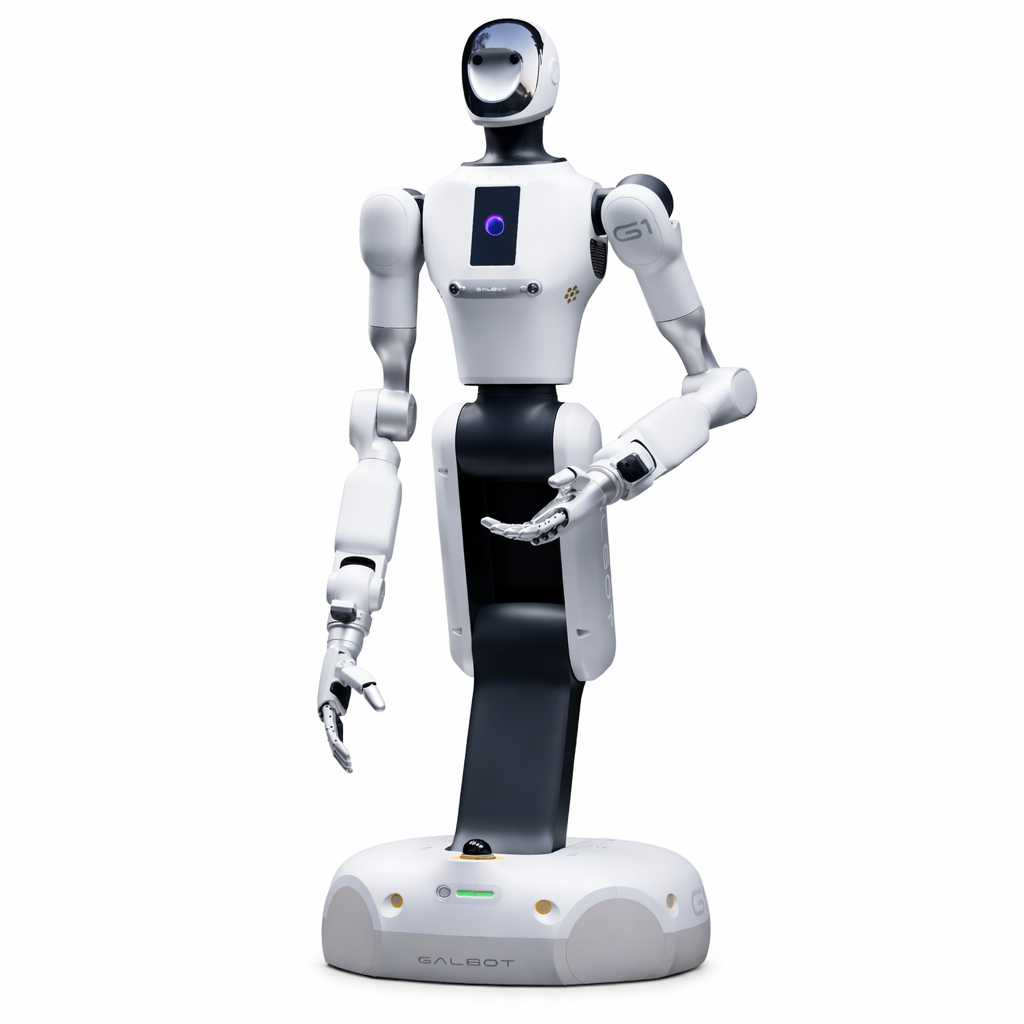
Image source: Sonny Robotics
Setting Up the Gullintanni Gulbot for GitHub Automation
If you are a developer and your search for "Gulbot" was intentional, you are likely looking for the Gullintanni Gulbot . This is a specialized Git merge bot designed to streamline the CI/CD pipeline for software teams. Unlike the writing tool, this is a technical utility for code management.
Technical Requirements and AWS Lambda Configuration
The gulbot-lambda repository on GitHub provides the source code for this tool. It is written in Go and is specifically designed to run as a serverless function on AWS Lambda . Its primary role is to ensure that the `master` branch (or `main`) always builds cleanly before a merge is permitted.
To implement this bot, you will need to configure the `gulbot-lambda` environment with your GitHub personal access tokens and set up the appropriate triggers in your AWS console. This ensures that every pull request is automatically vetted for build stability, a significant advancement for small teams looking to automate their DevOps workflows.
Understanding Galbot and the Future of Embodied AI
Another common point of confusion is Galbot . While the names are nearly identical, Galbot represents the frontier of "Embodied AI"—robots that can interact with the physical world using advanced intelligence. This is a notably innovative field that moves beyond the text-based world of Quillbot.
AstraBrain and Autonomous Movement
Galbot’s technology is centered around the AstraBrain architecture. According to Galbot's official documentation , this system consists of several specialized components that allow for complex physical tasks:
- General Brain (WAM)
- The high-level decision-making unit that processes environmental data and plans tasks.
- General Cerebellum (WBC)
- The control system responsible for balance, movement, and real-time physical adjustments.
- Dexterous Manipulation (Dex)
- The specialized logic that allows the robot's hands to perform fine-motor tasks, such as picking up fragile objects.
A famous proof of concept for this technology is Galbot's autonomous tennis-playing robot. By combining visual recognition with rapid physical response, it demonstrates a level of coordination that few competitors match in the current robotics market.
What to Do If You Get Locked Out of Your AI Account
A major issue facing AI users in 2026 is the 167-hour lockout . This problem typically occurs when users hit "IP-level rate limiting." This is often triggered by "session bleed," where multiple accounts are accessed from the same IP address, causing the server to flag the activity as suspicious or bot-like.
"Users have reported that hitting these limits can result in a simultaneous lock of all associated accounts for exactly 167 hours—roughly one full week." — AI Developer Community Discussion
Managing the 167-Hour IP Rate Limit
If you find yourself locked out of your primary AI tools (like Gemini or GPT), having a backup like Quillbot is essential for business continuity. Quillbot operates on a different infrastructure, meaning an IP ban on one service rarely affects the other. To avoid these lockouts in the future, consider the following tips:
- Use Dedicated IPs: If you are a professional user, a dedicated IP or a high-quality VPN can prevent your traffic from being lumped in with other users.
- Avoid Simultaneous Logins: Ensure you are not logged into the same AI service on multiple devices using the same network if you are performing high-volume tasks.
- Diversify Your Stack: Don't rely on a single AI provider. Using Quillbot for editing and a separate LLM for generation creates a safety net.
Comparing Quillbot Free vs Premium Plans
For those who have confirmed they are looking for the writing tool, the next step is choosing between the Free and Premium tiers. While the free version is a top choice for casual editing, power users often find the premium features necessary for professional work.
Determining the Value for Your Workflow
The value gap between the two plans is significant, particularly regarding word limits and specialized modes. The Premium plan offers unlimited words in the Paraphraser, which is a major improvement for those working on long-form content like books or theses.
| Feature | Free Plan | Premium Plan |
|---|---|---|
| Paraphraser Limit | 125 Words | Unlimited |
| Available Modes | Standard, Fluency | All Modes (incl. Humanizer) |
| Plagiarism Checker | Not Included | 20 Pages / Month |
| Processing Speed | Standard | Fastest |
Key Takeaways: Navigating the Gulbot Ecosystem
- Identify the Typo: Most "Gulbot" searches are intended for Quillbot , the AI writing assistant.
- Use the Humanizer: To bypass AI detectors in 2026, utilize Quillbot's Humanizer mode and the "Humanizer Loop" strategy.
- Developer Tools: If you need GitHub automation, look for the Gullintanni Gulbot on AWS Lambda.
- Robotics Confusion: Don't confuse the writing tool with Galbot , which focuses on physical humanoid robots.
- Avoid Lockouts: Be mindful of 167-hour IP bans by diversifying your AI toolset and avoiding session bleed.
- Mobile Productivity: Use the Quillbot AI Keyboard to maintain professional writing standards on mobile devices.
- Institutional Trust: With 140+ partnerships, Quillbot is widely regarded as a reliable tool for academic and professional use.
Whether you are refining an essay or automating a code merge, choosing the correct "bot" is the first step toward a more productive 2026.
Frequently Asked Questions
Is using Quillbot considered cheating in college?
The answer depends on your institution's specific AI policy. Generally, using Quillbot for grammar correction and clarity is seen as a form of editing, similar to using a spellchecker. However, using it to completely rewrite someone else's work or to mask AI-generated content can be flagged as academic dishonesty. Always check your syllabus or consult with your professor before using AI tools for graded assignments.
Can AI detectors find text paraphrased by Quillbot?
Standard paraphrasing can sometimes be caught by advanced detectors because the underlying sentence structure remains predictable. However, Quillbot's "Humanizer" mode is specifically designed to vary these patterns. While no tool can guarantee 100% invisibility, using the "Humanizer Loop" strategy—editing, detecting, and re-editing—significantly reduces the probability of being flagged by modern AI filters.
How do I fix the 167-hour lockout on my AI account?
A 167-hour lockout is usually a server-side IP ban. To resolve this, you can try switching to a different network (like a mobile hotspot), using a VPN with a dedicated IP, or simply waiting for the duration to expire. To prevent it from happening again, avoid logging into multiple accounts from the same IP address and reduce the frequency of high-volume automated requests.
Is the Gulbot GitHub repository safe to use?
The Gullintanni Gulbot is an open-source project. While the code is public and transparent, it is currently marked as "EXPERIMENTAL." Developers should review the Go source code and the AWS Lambda configuration before deploying it to a mission-critical environment. It is a legitimate tool for Git automation, but like all experimental software, it should be used with caution in production.
Does Quillbot work in Microsoft Word?
Yes, Quillbot offers a dedicated add-in for Microsoft Word. This allows you to paraphrase, check grammar, and use the summarizer directly within your document without switching between tabs. It is a highly recommended feature for long-form writers and researchers who prefer the Word environment over web-based editors.