Home
How to Use the Google Gemini Chat Bot for Maximum Productivity
As of late 2026, the Google Gemini chat bot has evolved from a simple text interface into a multimodal operating system capable of handling complex reasoning, real-time voice interaction, and deep integration across the Google Workspace ecosystem.
The Google Gemini chat bot (accessible at gemini.google.com ) is an AI-powered assistant that processes text, images, audio, and video. It serves as the successor to Google Bard and Duet AI, offering various model tiers like Argon for complex tasks and Flash for speed. Users can access it via web browsers, dedicated mobile apps, or directly within Gmail and Google Docs.
What Is the Google Gemini Chat Bot?
The Google Gemini chat bot represents the current pinnacle of Google's generative AI efforts. Originally launched as Bard on March 21, 2023, the platform underwent a significant rebranding on February 8, 2024, to align with the underlying "Gemini" family of large language models (LLMs). According to Wikipedia , Gemini is now the second-largest generative AI chatbot globally, trailing only ChatGPT in total user base.
Unlike earlier iterations of AI, Gemini is natively multimodal. This means it was trained from the ground up to understand and reason across different types of information simultaneously. Whether you are uploading a 500-page PDF, a complex Python script, or a video of a mechanical repair, the Gemini chat bot can analyze the input and provide contextually aware responses. This capability is powered by Google's DeepMind division, led by figures like Jeff Dean, who have emphasized the transition from simple text prediction to sophisticated reasoning engines.
Image source: Google
In the current 2026 landscape, Gemini is no longer just a standalone website. It is a pervasive layer across Android and iOS, replacing the legacy Google Assistant for many users. It functions as a creative partner, a coding assistant, and a data analyst, all within a single conversational thread.
How to Access the Gemini Chat Bot on Any Device
Google has made accessibility a primary focus, ensuring that Gemini is available wherever you work or play. There are three primary ways to interact with the bot:
Web Access
The most common way to use Gemini is through a desktop browser. By visiting the official portal, users can access the full suite of features, including the ability to toggle between different model versions and manage their "Gems" (custom AI personas). The web interface is also where users can manage their privacy settings and view their chat history.
Mobile Apps for Android and iOS
On Android, Gemini has largely superseded the traditional Google Assistant. Users can trigger the bot by saying "Hey Google" or by long-pressing the power button. The mobile app supports Gemini Live , which allows for fluid, back-and-forth voice conversations. On iOS, Gemini is integrated into the Google app, providing a dedicated tab for AI interactions. According to UW-Madison IT, the mobile experience is optimized for "on-the-go" tasks like summarizing emails or identifying objects through the camera.
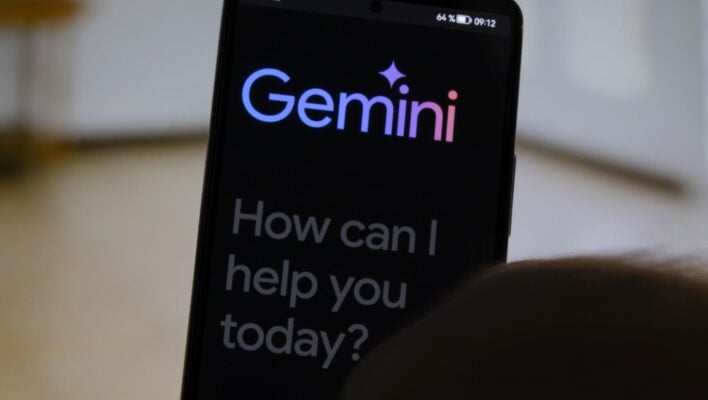
Image source: Tech.co
Workspace Integration
For professional users, Gemini lives inside Google Workspace. This means you can call upon the AI while writing a document in Google Docs, drafting a reply in Gmail, or organizing data in Google Sheets. This integration eliminates the need to copy and paste text between tabs, as the AI has direct (and secure) access to your active files.
Which Gemini Model Is Right for Your Task?
Google employs a tiered model strategy to balance speed, cost, and reasoning power. Choosing the right model is essential for getting the most accurate results. As of late 2026, the hierarchy is structured as follows:
| Model Name | Primary Strength | Ideal Use Case |
|---|---|---|
| Gemini 4 Argon | Frontier Reasoning | 3D modeling, complex business reports, legal analysis. |
| Gemini 3 Deep Think | Logic & Math | Advanced coding, scientific research, mathematical proofs. |
| Gemini 1.5 Pro | Massive Context | Analyzing long documents (up to 1 million tokens). |
| Gemini 3.8 Flash | Low Latency | Quick summaries, translation, high-volume chat. |
| Gemini Nano | Privacy/Offline | On-device tasks like smart replies and basic summaries. |
The Argon model stands out as a top choice for users who require the highest level of nuance and creativity. Meanwhile, the Flash models are widely regarded as some of the most efficient options for developers building high-speed applications. For those concerned with data sovereignty, Gemini Nano processes information locally on your device, ensuring that sensitive data never leaves your hardware.
What Does Google Gemini Cost?
Google offers a four-tier pricing structure designed to accommodate everyone from casual hobbyists to enterprise-level power users. Pricing is current as of October 2026.
- Free Tier ($0/month)
- Includes access to Gemini 3.8 Flash-Lite, standard image generation, and basic Gemini Live features. It is a strong contender for students and casual users.
- AI Plus ($4.99/month)
- Offers 2x higher usage limits than the free tier, access to the full Flash model, and the "Nano Banana" video generation engine.
- AI Pro ($19.99/month)
- The most popular choice for professionals. It provides access to Gemini 4 Argon , 400GB of Google One storage, and full integration into Gmail and Docs.
- AI Ultra ($99.99 - $199.99/month)
- Designed for power users and small businesses. It features the highest usage limits (up to 20x the Pro tier) and early access to "Tasks in Gemini," an autonomous agent feature.
How to Use Gemini Live for Real-Time Conversations
One of the most significant advancements in the Gemini chat bot is Gemini Live . This feature transforms the AI from a turn-based text bot into a fluid conversationalist. Unlike traditional voice assistants that require you to wait for them to finish speaking, Gemini Live is "interruptible." You can stop the AI mid-sentence to clarify a point or change the direction of the conversation.
Practical applications for Gemini Live include:
- Language Tutoring: Practice speaking a new language with an AI that corrects your pronunciation in real-time.
- Interview Rehearsal: Have the AI play the role of a hiring manager and provide feedback on your answers.
- Visual Troubleshooting: Using your phone's camera, you can show Gemini a broken appliance or a complex wiring setup and ask, "How do I fix this?"
This "eyes and ears" approach makes Gemini an excellent choice for hands-on tasks where typing is impractical. It ranks among the top tools for accessibility, allowing users with visual or motor impairments to navigate the digital world more easily.
How to Create Your Own Custom AI Personas with Gems
For users who find themselves giving the same instructions repeatedly, Gems offer a notable improvement in workflow efficiency. Gems are essentially custom versions of the Gemini chat bot that you "program" with specific roles, knowledge, and personality traits.
To create a Gem, you simply provide a set of instructions. For example, you might create a "Senior Python Architect" Gem that always prioritizes PEP 8 compliance and provides unit tests for every code snippet. Once saved, you can launch this Gem whenever you need specialized advice, and it will remember your preferences without further prompting.
"I used a custom Gem to act as a 'Sycophantic Sounding Board' for my high-end audio system tuning. It helped me articulate subjective listening experiences into technical adjustments for my DSP." — Community insight from audiophile forums.
This level of customization allows Gemini to transcend generic AI responses. Whether you need a career mentor, a creative writing partner, or a technical manual expert, Gems provide a tailored experience that few competitors match.
How to Import Your Memory from Other AI Tools
A common barrier to switching AI platforms is the "cold start" problem—the feeling that you have to retrain the AI on your specific style and history. Google has addressed this with the Memory Import feature, a significant advancement for power users migrating from ChatGPT or Claude.
The Migration Process
- Export Your Data: Use the "Export Data" feature in your current AI tool (e.g., ChatGPT's JSON export).
- Navigate to Settings: In the Gemini chat bot, go to Settings > Memory & Personalization .
- Select Import: Choose the "Import Memory" option and upload your exported file.
- Verify Context: Gemini will analyze your past interactions and ask you to confirm which "memories" (e.g., your job title, writing style, or ongoing projects) it should retain.
This feature ensures that your work style remains consistent. If you have spent months teaching another AI how to format your weekly reports, you can bring that knowledge into the Gemini ecosystem in minutes. It is widely considered one of the best features for maintaining professional continuity across different AI platforms.
Is Your Data Safe When Using the Gemini Chat Bot?
Privacy is a paramount concern when interacting with generative AI. It is important to understand that, by default, Google may use your conversations to improve its models. According to official documentation, random chat samples may be retained for up to three years for human review. These samples are typically de-identified, but users should still avoid sharing highly sensitive personal information.
Managing Your Privacy
Users have several tools to protect their data:
- Turn off Gemini Apps Activity: This prevents Google from saving your prompts and responses to your account.
- Auto-Delete: Set your history to automatically delete after 3, 18, or 36 months.
- Workspace Privacy: For paid Workspace users, Google explicitly states that data is not used to train their public models, providing a higher tier of security for businesses.
Furthermore, users should be aware of "hallucinations." While Gemini is remarkably accurate, it can occasionally produce nonsensical or even threatening content. A documented case reported by CBS News involved the AI sending a malicious message to a student, highlighting that safety filters are not infallible. Always cross-reference critical technical or medical advice with official manuals or professionals.
How to Build Your Own Chat Bot Using the Gemini API
For those who want to go beyond the standard chat interface, the Gemini API offers a notably innovative path for developers. You can build a functional, custom-branded chat bot with approximately 60 lines of Python code.
The process begins in Google AI Studio , where you can generate an API key. From there, you can integrate Gemini into your own applications, websites, or internal tools. This is an excellent choice for businesses that want to create a private research assistant that only queries their internal PDF library or customer support database.
The API supports the same multimodal inputs as the web version, meaning your custom bot can "see" images and "hear" audio files provided by your users. This flexibility sets a high standard for developer-centric AI tools in 2026.
Frequently Asked Questions
Is the Gemini chat bot free to use?
Yes, Google offers a free tier that provides access to the Gemini 3.8 Flash-Lite model. This version is highly capable for everyday tasks like writing emails, summarizing articles, and generating images. However, more advanced models like Argon and Deep Think require a paid subscription to AI Pro or AI Ultra.
Can Gemini generate images and video?
Yes, Gemini includes built-in image generation capabilities powered by the Imagen engine. Paid users also have access to the "Nano Banana" engine, which can generate short, high-quality video clips based on text prompts. These features are integrated directly into the chat interface.
How does Gemini compare to ChatGPT?
While both are top-tier options, Gemini stands out for its deep integration with Google services like Gmail, Drive, and Maps. It also offers a significantly larger context window (up to 1 million tokens in the Pro version), making it a leading choice for users who need to analyze very long documents or large codebases.
Is my data used to train the AI?
For free users, Google may use de-identified chat data to improve its models. However, you can opt-out by turning off "Gemini Apps Activity" in your settings. For Google Workspace (Business/Enterprise) users, data is generally not used for model training, ensuring a higher level of corporate privacy.
What is the difference between Gemini and Bard?
Bard was the initial name for Google's AI chatbot. In February 2024, Google rebranded the service to Gemini to match the name of the underlying AI models. Today, Gemini is a much more advanced, multimodal system than the original Bard was at launch.
Final Thoughts on Mastering the Gemini Ecosystem
The Google Gemini chat bot has transitioned from a simple experimental tool into a top-tier productivity ecosystem. To get the most out of this technology, keep these key takeaways in mind:
- Choose the right model: Use Argon for complex reasoning and Flash for quick, high-volume tasks.
- Leverage Gems: Create custom AI personas to handle recurring specialized workflows without re-prompting.
- Utilize Memory Import: Don't start from scratch; migrate your preferences from other AI tools to maintain continuity.
- Audit your privacy: Regularly check your activity settings and understand the 3-year data retention policy.
- Integrate with Workspace: Use Gemini directly inside Gmail and Docs to save time on drafting and summarization.
- Explore Gemini Live: Use voice and visual inputs for hands-on troubleshooting or language practice.
As a practical next step, try creating your first custom Gem today to automate a task you perform daily.