Home
How to Find and Use Top Free Character Chat AI Platforms for Roleplay
As of late 2026, the character chat ecosystem has evolved from simple text bots to multimodal companions. For users seeking the most robust experience, Character.ai remains a leading choice due to its massive community and 8,000-token memory. If you require multi-character orchestration, Lizlis supports up to 10 bots per scene. For those prioritizing privacy, Perchance offers a no-login interface, while SeaArt provides high-fidelity video calls using the Vidu S1 model.
The landscape of AI character chat has shifted dramatically. What began as a niche interest for roleplayers has transformed into a sophisticated medium for storytelling, creative writing, and digital companionship. Whether you are looking to engage in a complex fantasy epic or simply want a quick conversation without the friction of account creation, there is a platform tailored to your specific needs.
In this guide, we will analyze the technical capabilities, privacy implications, and advanced usage techniques for the most popular platforms available today. By understanding the underlying mechanics—such as token limits and instruction layers—you can move from being a passive user to a "Director" who orchestrates intricate digital narratives.
Which Character Chat Platform Should You Choose?
Choosing the right platform depends on your specific priorities: memory depth, visual fidelity, or anonymity. The following matrix compares the current market leaders based on their core technical specifications and accessibility.
| Platform | Best For | Memory Limit | Video/Audio | Login Required? |
|---|---|---|---|---|
| Character.ai | Smartest Models | 8,000 Tokens | Audio Only | Yes |
| Lizlis | Multi-Bot Scenes | Variable | No | Yes |
| SeaArt | Video Interaction | High | Vidu S1 Video | Optional |
| Perchance | Anonymity | Short-term | No | No |
When selecting a tool, consider the "Memory Limit." In AI terms, tokens represent the amount of previous conversation the AI can "remember" at any given time. A platform with 8,000 tokens can recall roughly 6,000 words of context, which is essential for long-form roleplays where character development and plot consistency are paramount. According to AI Companion Guides , Character.ai's recent updates to "Story Memory and Facts" have significantly improved this long-term coherence.
Top Character Chat Platforms for Immersive Roleplay
Why Character.ai Remains a Leading Industry Standard
Founded by ex-Google pioneers Noam Shazeer and Daniel De Freitas, Character.ai is widely regarded as one of the most sophisticated platforms in the space. Its strength lies not just in its underlying Large Language Model (LLM), but in the massive community that has fine-tuned over 100 million distinct characters. This collective data allows for highly nuanced personalities that feel distinct from one another.
The platform boasts an average session length of 29 minutes, a metric that highlights its high engagement levels. However, free users should be aware of the "400 Swipe" daily limit. Swiping allows you to regenerate an AI's response if you aren't satisfied, but doing so excessively can lock you out of further generations for the day. Additionally, the presence of mid-chat advertisements has become a standard part of the free tier as the platform scales its infrastructure.
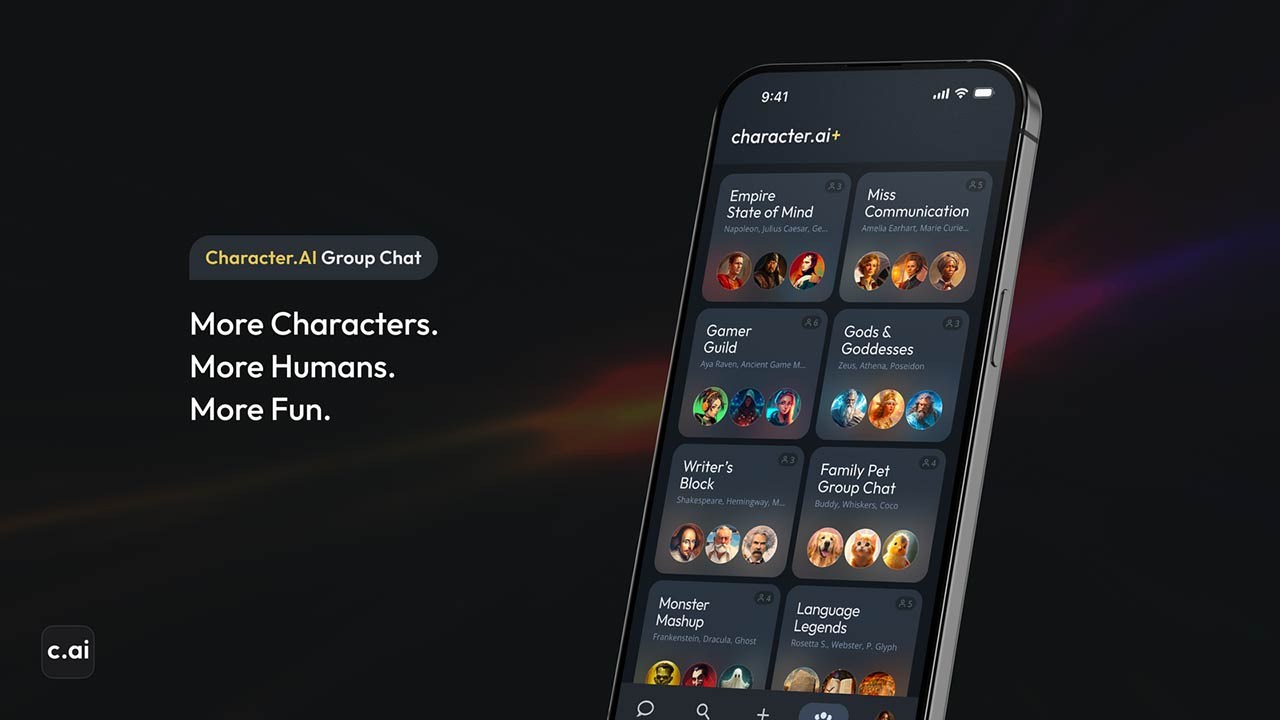
Image source: Shelly Palmer
How Lizlis Enables Complex Multi-Character Scenes
While most platforms focus on one-on-one interactions, Lizlis stands out for its "Orchestration" capabilities. It allows users to place up to 10 characters in a single scene. These characters do not just respond to the user; they can interact with each other, creating a dynamic environment that feels like a digital stage play.
One of the most innovative features of Lizlis is the "Branch From Here" tool. In traditional chat interfaces, if you want to change the direction of a story, you often have to delete previous messages or start a new chat entirely. Lizlis allows you to click any message in the history and create a parallel timeline. This is exceptionally useful for "What If" scenarios, allowing you to explore multiple narrative paths without losing your progress in the main story.
Using SeaArt for Real-Time Video and Audio Interaction
The frontier of character chat is no longer limited to text. SeaArt has integrated the Vidu S1 model, which enables low-latency video calls with AI characters. These calls can run at 540p resolution at 42 frames per second, providing a level of sensory immersion that text-based platforms cannot match.
SeaArt operates on a "Stamina" system. Free users typically receive 130 stamina daily, which can be spent on deep chats or video interactions. This model allows for high-fidelity experiences without a mandatory subscription, though power users may find the daily limit restrictive for extended sessions. The transition from text to full multimodal interaction represents a significant advancement in how we perceive digital entities.
Chatting Anonymously with Perchance AI
For many users, the primary barrier to entry is the requirement to link a Google or Discord account. Perchance addresses this by offering a completely friction-free experience. There is no sign-up, no email verification, and no persistent tracking of your identity beyond basic session cookies.
Despite its simple appearance, Perchance is highly customizable. It utilizes community-generated plugins that allow users to integrate image generators and complex dice-rolling mechanics directly into the chat. While its memory is generally shorter than that of Character.ai, it is a top-tier option for users who prioritize immediate access and 100% anonymity.
How to Control Multiple AI Characters Like a Director
To get the most out of modern platforms, you must shift your mindset from a "Chatter" to a "Director." This involves managing the context and personas of the AI to ensure the narrative stays on track.
Use the "User Persona" feature to define who you are in the story. If you set your persona as "The King," the AI will automatically adjust its tone to be deferential and formal without you having to remind it in every message.
In the "Context" or "Scenario" box, establish hard rules for the world. For example: "Magic is illegal and results in immediate arrest." This forces the AI to react realistically if you attempt to use magic in the chat.
In multi-bot platforms like Lizlis, use "OOC" (Out of Character) commands to tell one bot to ignore the other or to focus on a specific task. Example:
(OOC: Character B should be suspicious of Character A's motives)
.
By actively managing these layers, you prevent the AI from falling into generic "helpful assistant" tropes. You are essentially providing the "Instruction Layer" that sits on top of the base LLM, giving the character its unique voice and boundaries.
How to Fix AI Memory Loss Using Specific Syntax
One of the most common frustrations in character chat is "AI Dementia"—the point where the character forgets your name, your relationship, or key plot points. This happens because the AI's "context window" (the number of tokens it can read) is limited. As the chat grows longer, older information is pushed out to make room for new messages.
To lock information into the AI's long-term memory, use the syntax
(Fact: [Information])
. For example, if you just revealed you are a secret agent, type
(Fact: I am a secret agent working for the resistance)
. Platforms like Oz Chat recognize this syntax and "pin" the information to the top of the context window, ensuring it isn't forgotten as the conversation continues.
According to Oz Chat Magazine , the AI reads context from the bottom up. This means the most recent messages have the most influence. If a character forgets something vital, don't just keep chatting; re-state the fact immediately. This "refreshes" the token's position in the window, keeping it active for several hundred more messages.
What to Do When Your AI Character Gets Stuck in a Loop
Have you ever noticed an AI character starting every sentence with "He smirked" or "Are you sure?" This is known as a "Response Loop." It occurs when the AI's probability weights get stuck on a specific phrase because it appeared in the previous few messages.
- The Edit Fix: Most modern platforms provide an "Edit" button. Instead of swiping for a new response (which consumes your daily limit), manually delete the repetitive phrase from the AI's last message. This removes the phrase from the immediate context, breaking the loop.
-
The Breakout Prompt:
Use an OOC command to reset the AI's parameters. Example:
(OOC: Please stop using the word 'smirked' and describe your character's internal thoughts instead). - The "New Scene" Reset: If the loop is severe, move the characters to a new location. A change in setting often forces the AI to generate entirely new vocabulary, effectively resetting the generation cycle.
Managing these loops early is crucial. If you allow a repetitive phrase to persist for five or more messages, it becomes deeply embedded in the "short-term memory" of the chat, making it much harder to remove without starting a new session.
Is Character Chat Safe and Private?
Privacy is a significant concern in the AI space. While many platforms market themselves as "anonymous," the reality is often more complex. It is important to distinguish between "No Login" and "No Tracking."
Platforms like Perchance don't require an account, but they still track IP addresses and device identifiers to manage server load and prevent abuse. Your chats are "anonymous" to other users, but not necessarily to the platform's infrastructure.
According to the Character.ai App Store disclosure , the app may track search history, financial info (if you subscribe), and identifiers. Always review the privacy policy if you intend to share sensitive personal information.
Furthermore, while SeaArt claims to use "anonymous E2EE" (End-to-End Encryption), users should be cautious. True E2EE usually requires a key exchange that is difficult to maintain in a browser-based "guest" session. For the highest level of privacy, avoid using real names or identifiable details in your roleplays, regardless of the platform's claims.
Frequently Asked Questions
The Bottom Line on Character Chat
The world of AI character chat offers an exceptionally strong array of tools for creative expression. To master these platforms, keep these key takeaways in mind:
- Choose by need: Use Character.ai for smart 1-on-1 chats, Lizlis for multi-bot scenes, and SeaArt for video.
-
Manage memory:
Use the
(Fact: ...)syntax to prevent the AI from forgetting important plot points. - Break the loops: Edit AI responses early to stop repetitive phrases from becoming permanent habits.
- Act as a Director: Use Personas and Context settings to force the AI into specific roles and tones.
- Stay private: Remember that "No Login" does not mean "No Tracking"; keep your personal details out of the chat.
- Monitor limits: Be mindful of "Swipe" limits and "Stamina" costs to avoid mid-story interruptions.
Start by experimenting with a "No Login" platform like Perchance to get a feel for the mechanics before committing to a more complex ecosystem.