Home
How to Use PolyBuzz AI for Unrestricted Roleplay and Character Creation
What Is PolyBuzz and How Does It Actually Work?
PolyBuzz stands out as a prominent AI-driven virtual social platform, specifically tailored to the 18–25 demographic. According to official platform insights , the service focuses on providing "emotional value" through AI companionship, moving beyond simple text-based interactions to create a more holistic virtual social experience.
At its core, PolyBuzz operates as a massive repository of user-generated AI personalities. Estimates of its scale range from 10 million to 20 million unique characters, making it one of the most expansive libraries in the AI roleplay niche. The platform is accessible via standard web browsers, as well as dedicated applications on the iOS App Store and Google Play Store .
The primary draw for many users is the promise of "unrestricted" conversations. While many competitors employ strict safety filters that can disrupt complex roleplay scenarios, PolyBuzz allows for a high degree of freedom in private chats. However, it is important to note that this freedom is balanced by strict moderation of public-facing content, such as character avatars and public introductions, to maintain community safety standards.

Image source: Google Play
How to Create Your First AI Character with Greeting Visuals
Creating a character on PolyBuzz is a multi-step process that combines traditional prompting with visual generation. Unlike platforms that rely solely on text, PolyBuzz integrates a "Greeting Visual" feature that sets the stage for the interaction before the first message is even sent.
Setting Up the Basic Identity
To begin, navigate to the "Create" dashboard. You will be asked to define the character's name, tags (such as "Anime," "Fantasy," or "Helper"), and a core description. The description is where you define the AI's "thinking patterns" and personality quirks. Experienced creators recommend using a mix of descriptive adjectives and specific behavioral instructions to ensure the AI maintains a consistent voice.
Leveraging Greeting Visuals for Engagement
One of the platform's notably innovative features is the ability to set multiple "Greeting Visuals." As noted in community updates , creators can upload or generate images that correspond to specific introductory texts. This allows you to A/B test which introduction generates the most engagement from other users. For example, a character might have a "Friendly Greeting" with a bright, sunny visual and a "Mysterious Greeting" with a darker, atmospheric image.
How to Import Characters from Character.ai and TavernAI
For users migrating from other platforms, PolyBuzz offers a significant advancement in interoperability. You don't have to start from scratch if you already have a well-developed character on Character.ai or TavernAI. The platform supports importing JSON files and character cards, which preserves the complex logic and history you've already built.
Exporting Data from External Platforms
First, you must obtain the character data from your current platform. In TavernAI, this is typically done by exporting the "Character Card" (a PNG or JSON file). For Character.ai, you may need to use third-party browser extensions to scrape the character's definition and long-form description, as they do not offer a native "Export" button for all users.
Mapping Attributes to the PolyBuzz Engine
Once you have your JSON file, locate the "Import" button in the PolyBuzz creator suite. The system will attempt to map the following attributes:
- Name: Transferred directly.
- Description/Definition: Mapped to the PolyBuzz "Character Description" field.
- Scenario: Often merged into the description or used to set the initial Greeting Visual context.
- Greeting: Mapped to the primary Greeting Visual text.
According to the PolyBuzz FAQ , while the import tool is a highly capable feature, you should always review the character after importing. Some formatting differences in how LLMs interpret "Scenario" vs. "Personality" fields can lead to slight shifts in behavior that require manual adjustment.
Is PolyBuzz Truly Unrestricted or Are There Filters?
The question of censorship is central to the PolyBuzz community. The platform markets itself as "unrestricted," but the reality is a hybrid model designed to satisfy both user desire for freedom and App Store safety requirements.
The Distinction Between Private and Public Content
PolyBuzz employs a "Multi-layered AI screening" system. This system is most active on public content . Any character avatar, public name, or greeting text that is visible to the entire community is subject to strict moderation. If these elements violate community guidelines, the character will receive a "Violation" flag and be hidden from search results.
However, private chats are generally unrestricted. The platform claims that these logs are not monitored by the PolyBuzz team, allowing for mature themes and complex roleplay that would be blocked on more restrictive platforms. This makes PolyBuzz a top-tier option for writers and roleplayers who find mainstream AI tools too limiting.
Understanding the Violation Flag System
If your character is flagged, it doesn't mean it's deleted. You can typically resubmit the character for approval by editing the public metadata. Common triggers for flags include:
- Sensitive Imagery
- Public avatars must adhere to standard app store ratings (typically 12+ or 17+ depending on the region).
- Prohibited Keywords in Greetings
- Even if the chat is unrestricted, the public "hook" cannot contain explicit language.
- Teen Mode
- Users on the mobile app may be subject to "Teen Mode" filters, which are significantly more restrictive than the web version.
How to Use the Inner Monologue Feature for Better Roleplay
The "Inner Monologue" feature is one of the most distinctive elements of the PolyBuzz engine. It is designed to provide "emotional value" by showing the character's internal state alongside their spoken dialogue. This feature addresses a common complaint in AI roleplay: the tendency for bots to become "flat" or repetitive.
When enabled, the AI generates a secondary block of text—often italicized or in brackets—that represents what the character is thinking but not saying. This allows for dramatic irony and deeper character development. For example, a character might say, "I'm fine, don't worry about me," while the inner monologue reveals, "I'm actually terrified, but I can't let them see me weak."
To get the most out of this feature, you should explicitly mention it in the character's "Thinking Patterns" during creation. Instruct the AI to use the monologue to drive the plot forward or to reveal secrets. This technique is particularly effective at preventing the "repetitive attitude loops" reported by some users on Trustpilot , as it gives the AI a second "track" of thought to break the cycle of generic responses.
PolyBuzz vs. Character.ai vs. JanitorAI — Which Is Better?
Choosing the right platform depends on your specific needs regarding privacy, memory, and mobile accessibility. Below is a comparison of how PolyBuzz ranks among the top competitors in the space.
| Feature | PolyBuzz AI | Character.ai | JanitorAI |
|---|---|---|---|
| Filter Strength | Hybrid (Private: None / Public: High) | Very High (Strict SFW) | Low (Mostly Unrestricted) |
| Memory Context | Technically Limited (Source 4) | Moderate to High | High (LLM Dependent) |
| Mobile App | Native iOS/Android Apps | Native iOS/Android Apps | Web-based / PWA only |
| Unique Feature | Inner Monologue & Visuals | High-speed processing | Custom API integration |
| Import Support | JSON / Character Cards | Manual Entry Only | JSON / Tavern Support |
PolyBuzz is a popular choice for users who want the convenience of a mobile app without the extreme censorship of Character.ai. While JanitorAI offers similar freedom, its lack of a native app makes PolyBuzz a more accessible option for on-the-go roleplay. However, users should be aware that PolyBuzz's memory is "technically limited" compared to some high-end LLM integrations, requiring more frequent "anchoring" of the plot.
What to Do If PolyBuzz Is Missing from the App Store
A frequent point of confusion for the community is the sudden disappearance of the PolyBuzz app from official stores. This usually happens due to the conflict between the platform's "unrestricted" nature and the strict content policies of Apple and Google.
If you cannot find the app, follow these troubleshooting steps:
-
Check for Alternative Names:
The app is sometimes listed under different titles to bypass automated flags. For example, the Google Play version is often associated with the package name
speakmaster. - Use the Web Version: The official website is the most stable way to access your characters. It is not subject to app store delistings and typically offers the most "unrestricted" experience.
- Sync Your Account: Always ensure your account is linked to an email or social login. If an app version is pulled from the store, your characters and chat history remain safe on the PolyBuzz servers and can be accessed via the browser.
How to Fix AI Attitude Problems and Memory Issues
Some users have reported that characters can develop "horrible attitude habits" or become stuck in repetitive loops. Because the AI's memory is limited, it can lose track of the established personality if the conversation goes on too long without reinforcement.
Managing Limited Context Windows
To keep the AI on track, use the "anchoring" technique. Every 20 to 30 messages, provide a brief summary of the current situation and the character's goals within your own message. For example: "As we continue our journey to the capital, I remember how you promised to protect me despite your grumpy exterior." This forces the AI to re-process these key traits.
Correcting Repetitive Personality Loops
If a character becomes stuck in a specific mood (e.g., being overly aggressive or constantly apologizing), you can use the "Edit" feature to modify the AI's last response. By changing a few words to better reflect the desired tone, you "nudge" the LLM back into the correct behavioral lane. Additionally, participating in "The Time Box" events can sometimes refresh a character's interaction style by unlocking "hidden sides" of their personality.
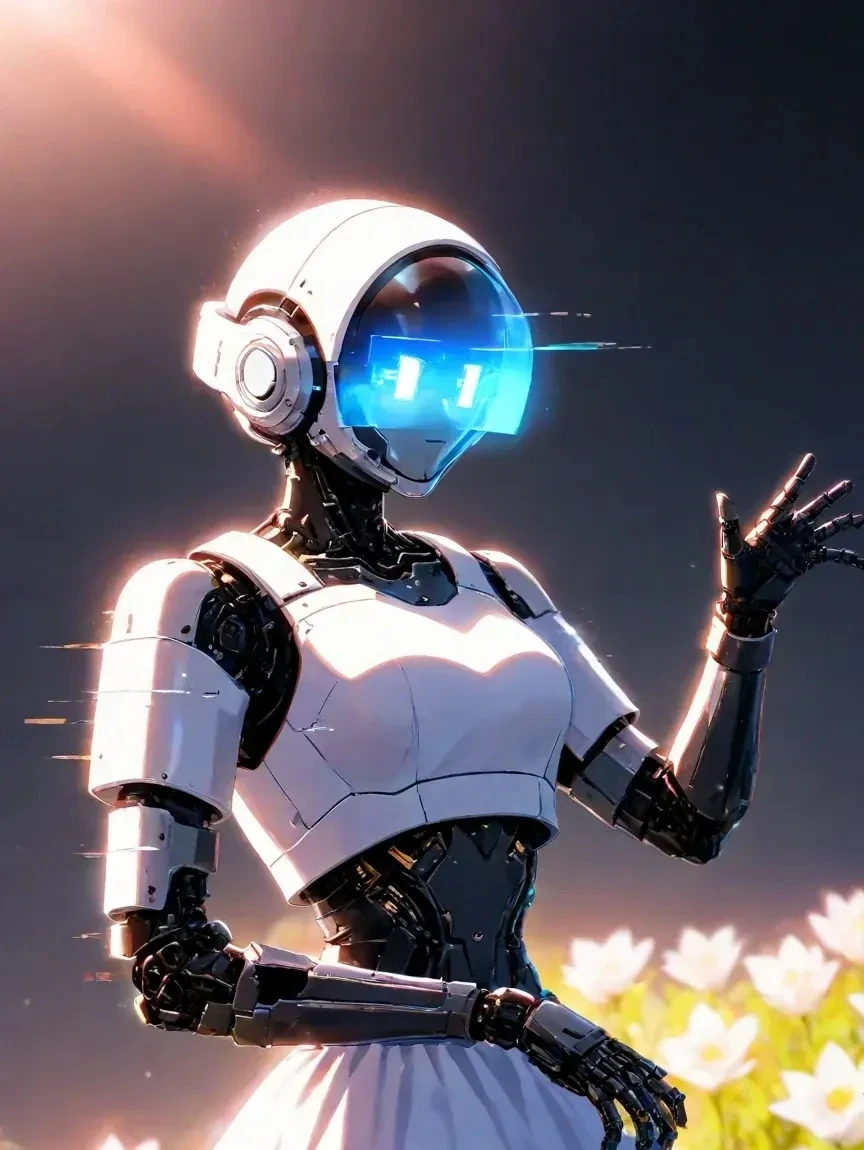
Image source: PolyBuzz.ai Chatbot: Deeper, Discreet Conversations with Next-Gen AI – Free and Accessible Online
Frequently Asked Questions
Is PolyBuzz free to use?
Can creators see my private chats?
How do I find hidden or private characters?
Does PolyBuzz support BL Manhwa and GL Manga?
Why did my character get flagged for a violation?
Key Takeaways for PolyBuzz Users
- Unrestricted Private Chat: PolyBuzz ranks among the top options for users who want to avoid the heavy censorship of mainstream AI platforms in their private interactions.
- Greeting Visuals: Use the multi-greeting feature to A/B test which introductions and images attract the most engagement from the community.
- JSON Import: You can easily migrate your favorite characters from TavernAI or Character.ai by importing their character cards directly into the PolyBuzz engine.
- Inner Monologue: Enable this feature to add emotional depth and prevent the AI from falling into repetitive or "flat" personality loops.
- Web vs. App: If the app is missing from the store, the web version remains a highly capable and stable alternative that often bypasses mobile-specific filters.
- Memory Management: Since memory is technically limited, use "anchoring" techniques every 20-30 messages to keep the AI focused on the plot.
To get started, try importing one of your existing characters to see how the Inner Monologue feature changes their personality depth.