Home
Build and Play Multiplayer Games Using Spawn.co and the Savi AI Assistant
Spawn.co is a browser-based game creation platform that utilizes "vibe coding" to allow users to build multiplayer games through natural language. By chatting with Savi , an AI assistant powered by Claude 5.5, creators can generate 2D and 3D environments, logic, and assets without writing traditional code. The platform is currently free to use and focuses on instant social playability.
In the evolving landscape of 2026, the barrier between having a creative idea and seeing it come to life in a digital space has significantly thinned. Spawn.co stands as a prominent example of this shift, offering a platform where "vibe coding" replaces the steep learning curves of C# or C++. Developed by AI Tools Inc., Spawn is not merely a tool for professional developers but a social playground for anyone who can describe a world in words.
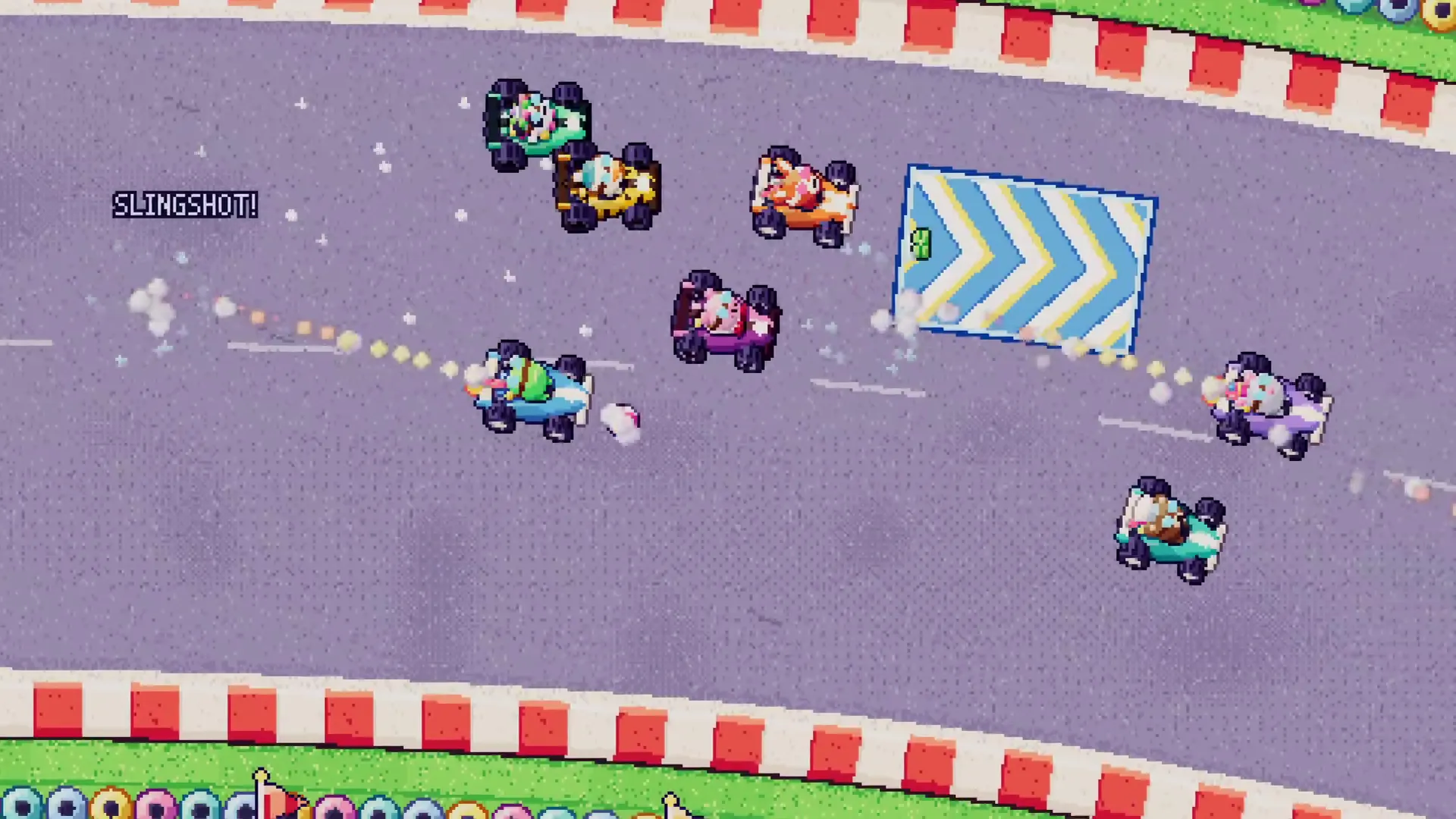
Image source: www.spawn.co
What Is Spawn.co and How Does Vibe Coding Work?
At its core, Spawn.co is an AI-native game engine designed for the era of large language models (LLMs). While traditional engines like Unity or Unreal require users to understand complex hierarchies and scripting languages, Spawn introduces the concept of vibe coding . This approach prioritizes high-level intent and natural language over syntax-heavy programming.
The primary interface for this experience is Savi , an AI companion that acts as your lead developer. As of late 2026, Savi utilizes the Claude 5.5 model to interpret user requests. When you tell Savi to "make a low-gravity moon base with neon racing bikes," the AI doesn't just search for assets; it generates the physics parameters, the 3D geometry, and the multiplayer synchronization logic required to make that "vibe" a reality.
One of the defining characteristics of the platform is its "Multiplayer by Default" philosophy. Every project created on Spawn is instantly hosted and joinable via a unique URL. This removes the traditional friction of server configuration and deployment, making it a top choice for rapid prototyping and social gaming. Whether you are building a simple 2D clicker or a complex 3D shooter, the infrastructure for others to join and play is baked into the initial "spawn" of the project.
How to Start Building Your First Game in Minutes
Getting started on Spawn.co is designed to be as frictionless as possible. Because the platform is web-based, there is no massive installation process required, though a desktop app is available for those who prefer a dedicated environment. The process typically follows three distinct phases:
- The Initial Prompt: Upon entering the workspace, you are greeted with a prompt box. This is where you define the "vibe." Instead of technical specs, focus on the atmosphere, genre, and core mechanic. For example: "A 3D horror game set in a neon-lit abandoned mall where players must find five batteries to escape a robotic security guard."
- Iteration with Savi: Once the initial world is generated, you can refine it by pressing the Tab key to open the chat interface. You can give Savi specific feedback like "make the guard faster" or "add a flashlight mechanic." Savi processes these requests in real-time, updating the game state while you watch.
- Connecting the Multiverse: Spawn features a "Portal" system. You can create portals within your game that lead to other games created by the community. This creates a linked "multiverse" of experiences, allowing players to travel between different "vibes" seamlessly.
How to Use Savi Like a Pro with Advanced Commands
While basic prompting works for simple games, power users can leverage specific commands to push the boundaries of what Savi can produce. These commands are essential for managing complex logic and high-fidelity assets.
The /lock-in Command
When you are satisfied with a specific part of your game—such as the character controller or a complex puzzle mechanic—you can use the
/lock-in
command. This tells Savi to perform a "deep pass" on the code. While this takes longer than a standard update, it significantly reduces bugs and optimizes the logic for better performance. It is a highly effective way to transition from a "vibe" to a polished product.
The /focus Command
In a complex scene with many objects, Savi can sometimes lose track of which element you want to change. By using
/focus [object name]
, you re-center the AI's attention. This ensures that your instructions for "changing the color" apply to the specific door you are looking at, rather than the entire building. This command is a significant advancement in managing AI-assisted spatial design.
Deploying "Wisps" for Parallel Processing
One of the most innovative features in the 2026 version of Spawn is the Wisp system. Wisps are essentially parallel AI sub-processes. You can ask Savi to "deploy a wisp to handle the terrain textures" while you continue to work on the combat mechanics with the main assistant. This allows for multi-threaded creative workflows that were previously impossible in single-chat AI interfaces.
Why the Spawn Custom Engine Matters for AI Generation
A common misconception is that Spawn.co is simply a "wrapper" for existing engines like Unity or Three.js. However, research into the company's technical stack reveals that AI Tools Inc. has built a bespoke game engine specifically designed for AI authoring. This distinction is crucial for several reasons.
First, a custom engine allows for a much tighter integration between the LLM and the game state. In a traditional engine, an AI would have to write code, compile it, and then check for errors. In Spawn's dedicated runtime, Savi interacts directly with the engine's underlying data structures. This results in faster "vibe" updates and a more responsive development loop. According to company data , this architecture is a core part of their strategy to scale to millions of concurrent users.
Second, the custom engine is optimized for multiplayer stability. Because every game is multiplayer by default, the engine handles state synchronization at a fundamental level. This means that when Savi adds a new physics object, the networking logic is automatically applied without the user ever needing to touch a socket or a server script. This sets a high standard for accessibility in the multiplayer space.
Spawn.co vs. Roblox vs. UEFN — Which Platform Is Right for You?
Choosing the right platform depends on your goals, technical skill, and desired level of control. Below is a comparison of how Spawn.co stacks up against the industry giants in 2026.
| Criteria | Spawn.co | Roblox | UEFN (Fortnite) |
|---|---|---|---|
| Primary Input | Natural Language (Vibe Coding) | Luau Scripting | Verse / Visual Scripting |
| Multiplayer Setup | Automatic / Instant | Built-in | Fortnite Ecosystem |
| Learning Curve | Near Zero | Moderate | High |
| Exportability | None (Locked to Platform) | None (Locked to Platform) | Fortnite Only |
| Monetization | TBD (Early Stages) | Robux / DevEx | Creator Economy |
Based on this framework, Spawn.co is a leading choice for creators who want to prioritize speed and social "vibing" over complex commercial monetization. While Roblox and UEFN offer more robust financial ecosystems, Spawn provides a level of creative freedom that is remarkably accessible to those without a background in computer science.
Creative Workarounds and Community Wisdom
As with any AI-driven tool, the community has discovered several "hacks" to get the most out of Savi. These strategies often involve using creative metaphors to bypass the current limitations of AI logic.
- The "Treadmill" Animation Hack: If Savi struggles to generate a specific running animation, users have found success by telling the AI to "make the character run on a treadmill and film it from the side." This physical context helps the AI understand the motion better than a generic "animate running" command.
- Mobile UI Optimization: By default, Savi may design for desktop. You should explicitly prompt: "Optimize the UI for touchscreens by adding large buttons for jumping and interacting in the bottom corners."
- Physics-Based Logic: Instead of asking for complex math, describe the physics. "Make the floor feel like ice" or "create a gravity well in the center of the room that pulls players in" are prompts that Savi handles with high accuracy.
"The magic of Spawn isn't just that it codes for you; it's that it understands the 'feel' of a game. If you describe the vibe correctly, the mechanics usually follow." — Community Insight from the Spawn Discord
Is Spawn.co Free and Who Owns Your Games?
As of late 2026, Spawn.co remains free to use, including the AI generations powered by Savi. This is supported by the company's significant venture backing, including a $10 million round from investors like Paradigm and 8VC. However, there are important considerations regarding ownership and "vendor lock-in."
According to the Spawn Terms of Service , users must be at least 13 years old to use the platform, with those under 18 requiring parental consent. While you generally own the "vibe" and the creative direction of your games, the actual code and assets generated by Savi are currently locked to the Spawn ecosystem. There is no feature to export your game to Unity or Unreal Engine at this time. This is a common reality for "walled garden" platforms, but it is something to keep in mind if you plan on building a long-term commercial franchise.
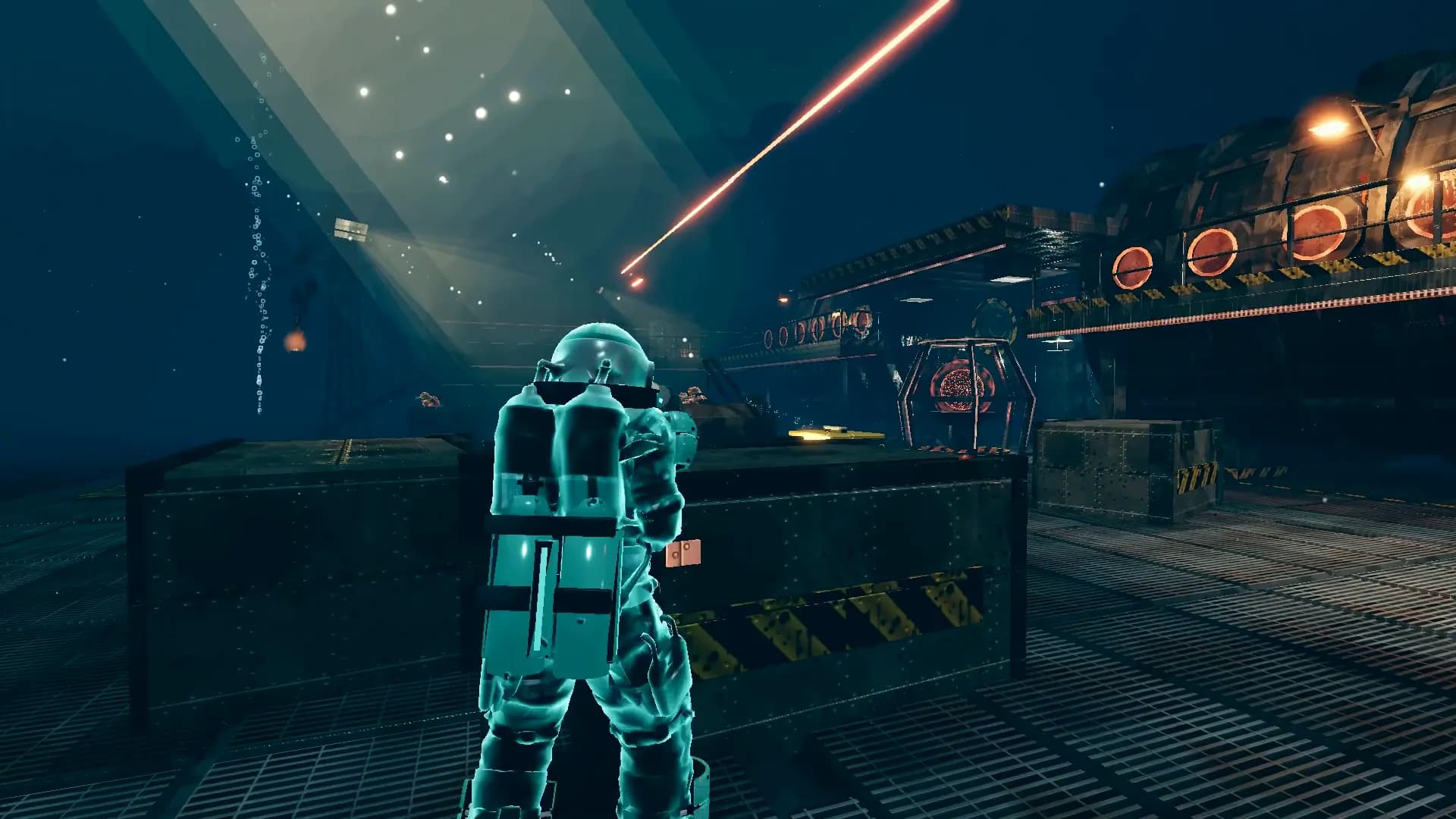
Image source: www.spawn.co
Common Challenges and How to Fix Them
Even with advanced AI like Savi, users may encounter hurdles. Understanding how to troubleshoot these issues is key to a smooth building experience.
- Problem: Savi "forgets" previous instructions.
-
Fix:
This usually happens when the conversation context gets too long. Use the
/focuscommand to re-center the AI on the specific object or use the "Spawn 6" history feature to revert to a state where the logic was still working correctly. - Problem: Multiplayer lag in complex scenes.
- Fix: Ask Savi to "optimize the mesh for low-end devices" or "reduce the frequency of physics calculations." The custom engine is capable of optimization, but it sometimes needs a nudge to prioritize performance over visual fidelity.
- Problem: Logic loops (e.g., a door that won't open).
-
Fix:
Use the
/lock-incommand specifically on the interaction script. This triggers a more rigorous code-checking process that can often identify and fix circular logic errors.
Frequently Asked Questions
Is Spawn.co related to the Spawn movie or comics?
No, Spawn.co is a game creation platform developed by AI Tools Inc. It is entirely separate from the Todd McFarlane comic book franchise or any related films. The name refers to the act of "spawning" digital worlds and characters through AI.
Can I make money from my Spawn.co games?
As of late 2026, there is no direct monetization system (like an ad network or in-game store) built into Spawn.co. However, the platform is evolving rapidly, and the developers have hinted at future creator economy features. For now, it is primarily a tool for creation and social play.
Do I need to know how to code to use Savi?
No, you do not need any coding knowledge. Spawn uses "vibe coding," which means you interact with the AI using natural English. While knowing basic logic can help you give better instructions, Savi handles the actual programming and engine implementation for you.
What AI model does Savi use?
Savi currently defaults to the Claude 5.5 model. The platform is designed to be model-agnostic, meaning the developers may update or change the underlying AI as more advanced models become available in the future.
Can I play Spawn.co games on my phone?
Yes, Spawn.co is fully browser-compatible for both desktop and mobile devices. You can build on your computer and instantly send a link to a friend to play on their smartphone. Some games may require specific mobile optimization prompts to ensure the touch controls work correctly.
Final Thoughts on Building with Spawn.co
Spawn.co represents a significant step forward in making game development accessible to everyone. By combining the power of Savi AI with a custom-built engine, it allows for a level of creative expression that was previously reserved for professional studios.
- Start with a clear vibe: Use descriptive, sensory language in your initial prompt.
- Iterate constantly: Use the Tab key to give Savi real-time feedback.
-
Master the commands:
Use
/lock-infor polish and/focusfor precision. - Think multiplayer: Remember that every game is instantly joinable by friends.
- Leverage the community: Use hacks like the "treadmill" method for complex animations.
- Acknowledge the limits: Be aware that your games are currently tied to the Spawn platform.
If you have a game idea but have always been intimidated by code, your next step is to head to Spawn.co and simply describe the world you want to see.