 Home
Home
How to Find the Best Free AI Overviews Rank Tracker Tool for Your Website
As of late 2026, tracking AI Overviews (AIO) for free requires a multi-tool approach. Google Search Console (GSC) is the primary free method for identifying cited pages, while Answer Socrates and SE Ranking's free trial offer query-level insights. For ad-hoc checks, LLM Pulse provides a reliable way to verify citations without a subscription. Most free tiers limit you to 5-10 keywords but provide essential data on "Sticky Citations" that paid tools often overlook.
Why Traditional Rank Tracking Fails to Measure AI Visibility
The search landscape has shifted dramatically. According to recent data, AI Overviews now appear for approximately 64% of all search queries , with a heavy concentration on informational and long-tail keywords (SE Ranking) . Traditional rank trackers, which focus on the "blue link" positions 1 through 10, are increasingly blind to the real estate that matters most to modern users.
AI search is fundamentally non-deterministic. Unlike traditional SERPs, where a keyword generally yields the same results for most users in a specific region, AI responses can fluctuate based on the specific phrasing of a prompt, the user's previous interactions, and real-time data updates. This means a single "snapshot" of a ranking is no longer sufficient. You need to track Citation Share —the frequency with which your brand appears as one of the average 8 sources cited in an AI box (GetMint) .
Traditional Tracking
- Focuses on fixed positions (1-100)
- Deterministic and stable results
- Measures click-through rate (CTR)
- Single source of truth per keyword
AI Overview Tracking
- Focuses on citation inclusion
- Non-deterministic and volatile
- Measures brand mention share
- Requires sampling across multiple runs
Furthermore, over 88% of queries triggering AI Overviews are informational in nature. This captures the vast majority of top-of-funnel traffic. If your tracking tool isn't specifically designed to parse the generative AI panel, you are likely missing out on the data that explains why your organic traffic is shifting.
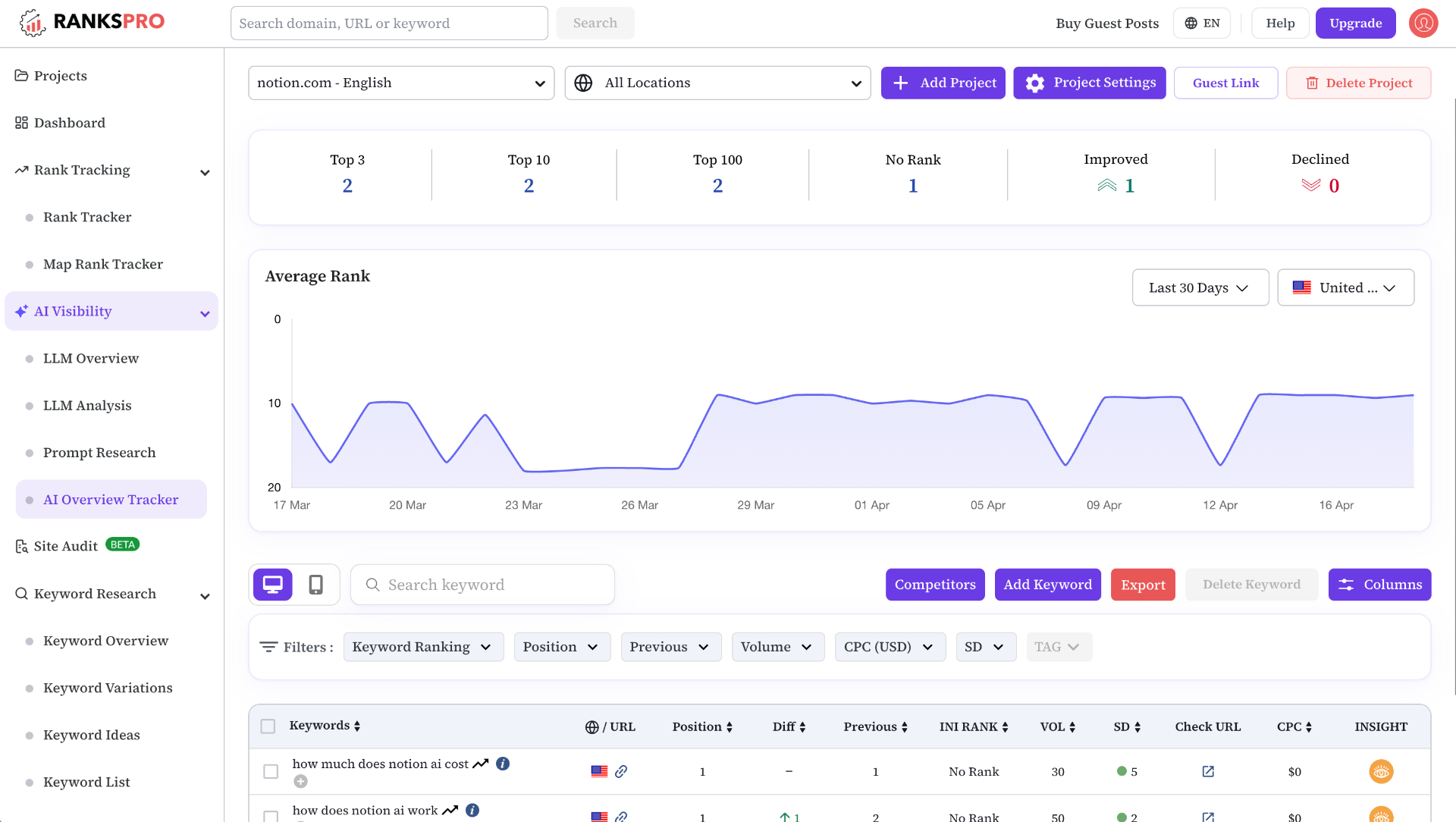
Image source: RanksPro
How to Use Google Search Console to Monitor AI Citations for Free
Google Search Console remains a cornerstone for any free tracking strategy. While it has limitations, it is the only tool that provides direct data from Google's internal systems regarding how users interact with generative results. In the "Performance" report, you can now find a specific filter for "Generative AI" (Rankability) .
However, there is a significant "reality check" users must understand: GSC currently shows you which pages are being cited in AI Overviews, but it does not explicitly link those citations to the specific queries that triggered the AI box. This creates a data gap. You might see that your "How to Fix a Leaky Faucet" page received 500 impressions from the Generative filter, but you won't know if the user typed "leaky faucet fix" or "why is my sink dripping."
To maximize GSC, export your top-performing generative pages weekly. By monitoring spikes in generative impressions, you can infer which topics Google's LLM (Gemini) considers your site an authority on. This data serves as the foundation for the "Combination Workflow" we will discuss later in this article.
Top 5 Free AI Overviews Rank Tracker Tools for 2026
1. SE Ranking Free Trial and AI Search Add-on
SE Ranking has positioned itself as a top-rated choice for those needing specialized AI data. While their full suite is paid, they offer a free trial that includes access to their AI Search Add-on . This tool is notably innovative because it tracks "Mention Share"—calculating what percentage of the total AI box real estate your brand occupies compared to competitors (SE Ranking) .
The free tier typically allows for tracking up to 5 keywords on desktop. While limited, it provides a high-fidelity look at the specific competitors appearing alongside you in the same AI panels. It is a strong contender for users who need to see exactly how their citations are formatted (e.g., inline links vs. side panel cards).
2. Answer Socrates Radar
Answer Socrates offers a unique "Radar" feature that functions differently from traditional trackers. Instead of you providing keywords, the Radar scans millions of recorded AI answers to find where your domain is already mentioned (Answer Socrates) . This is one of the strongest options for discovering "Sticky Citations"—mentions that persist across different variations of a prompt.
The free version provides a domain-wide visibility score, helping you understand your overall footprint in the AI ecosystem without needing to manually enter hundreds of queries. It is particularly useful for brand managers who want to see how their company is being described by LLMs.
3. LLM Pulse Ad-Hoc Checker
LLM Pulse provides a "Checker" rather than a continuous "Tracker" for its free users. This is an excellent choice for single-query validation. It uses headless browsers to simulate real user environments, ensuring that the AI Overview you see in the tool matches what a real user would see in the wild (LLM Pulse) .
Because it doesn't require a credit card for basic checks, it is a popular choice for SEOs who only need to verify visibility for a few "money" keywords. It provides a clean breakdown of all sources cited in the box, including the specific text snippet used by the AI to represent your content.
4. Rankscale for Cross-Platform Visibility
If you are interested in visibility beyond just Google, Rankscale offers a limited free tier that tracks mentions in ChatGPT (Search) and Perplexity. As search fragments across multiple AI engines, having a tool that monitors these platforms is a significant step forward for comprehensive SEO (Rankscale) .
Their free tier focuses on "Brand Presence," alerting you when your site is used as a primary source in a conversational response. This is essential for understanding how your content is being repurposed by different LLMs.
5. Teun.ai and Geoptie
For small-scale site owners, Teun.ai and Geoptie offer lightweight, freemium entry points. These tools are among the top options for those who want a simple "Yes/No" indicator for AI Overview inclusion. They lack the deep competitive analysis of SE Ranking but excel at providing quick, automated checks for a small list of URLs (SitePoint) .
A Comparison of Free Tier Limits for AI Tracking Software
Choosing the right tool often comes down to the specific constraints of their free offerings. The following table compares the most popular options based on their 2026 limits.
| Tool Name | Free Keyword Limit | Credit Card Required? | Tracks ChatGPT? | Best For... |
|---|---|---|---|---|
| Google Search Console | Unlimited (Pages only) | No | No | Identifying cited pages |
| SE Ranking | 5 Keywords | Yes (Trial) | No | Competitive analysis |
| Answer Socrates | Domain-wide scan | No | Yes | Finding sticky citations |
| LLM Pulse | Ad-hoc checks | No | No | Single-query validation |
| Rankscale | Limited Mentions | No | Yes | Cross-platform tracking |
How to Build a Reliable Visibility Sample Without a Paid Subscription
Because AI Overviews are volatile, a single daily check is often misleading. To build a reliable data set for free, you should adopt a "Sampling vs. Snapshot" strategy. This involves checking a smaller set of high-value keywords multiple times throughout the day to see how often your citation "sticks."
Filter your Search Console data by "Search Appearance: Generative AI." Export the list of URLs that are receiving the most impressions. These are the pages Google already trusts to provide AI answers.
Take your top cited URLs and plug them into Answer Socrates or a similar free discovery tool. This will help you identify the likely prompts and keywords that are triggering your citations.
Use LLM Pulse or a free browser extension to manually check those keywords. Perform these checks at different times of the day (e.g., 9 AM and 4 PM) to account for AI volatility.
Since AI results cannot be perfectly re-generated later, take manual screenshots of your wins. This is critical for reporting, as the "live" result may change by the time you show it to a stakeholder (Omnia) .
Key Metrics You Must Monitor to Win the AI Overview Box
Tracking AI visibility requires moving beyond simple rankings. You must monitor four distinct metrics to understand your true performance in the generative search era.
1. Inclusion & Mention
Inclusion is a binary metric: is your site in the box or not? Mention refers to your brand name appearing in the AI-generated text itself. Sometimes you are cited as a link but not mentioned in the text, which impacts brand recall (Omnia) .
2. Citation & Answer Share
Citation is the clickable URL. Answer Share is the percentage of the total links in the box that belong to you. If an AIO has 10 links and 3 are yours, you have a 30% answer share, which is a highly competitive position.
Monitoring these metrics helps you identify "Citation Gaps." If a competitor is consistently mentioned in the text but you only appear in the side panel, you may need to adjust your content structure to be more "quotable" by the LLM. This often involves using clear, declarative sentences that directly answer the user's likely intent.
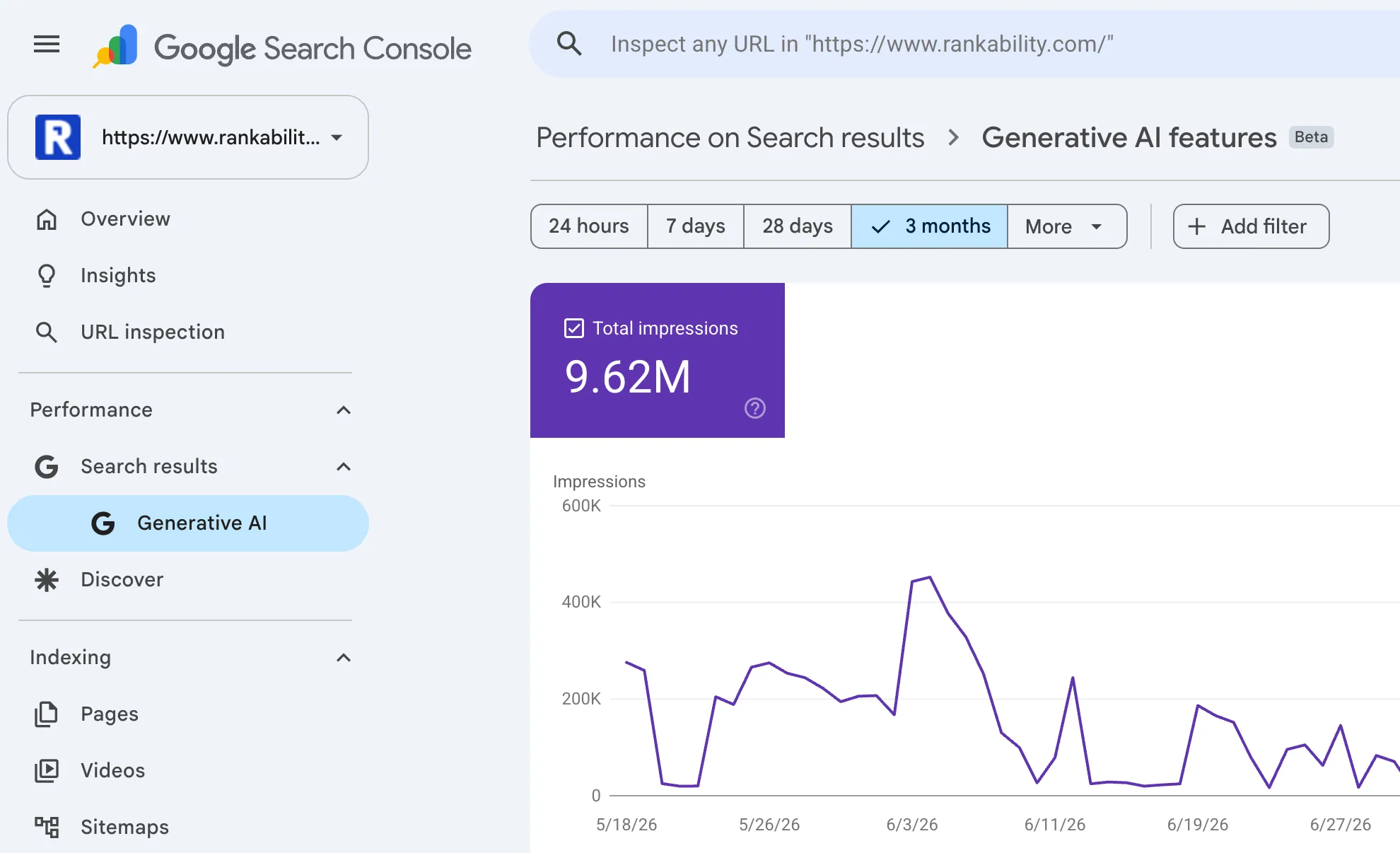
Image source: Rankability
Frequently Asked Questions
The Bottom Line on Free AI Rank Tracking
Tracking your visibility in the age of AI search is no longer about holding a static position; it is about maintaining a consistent presence in the citations that drive user trust. To succeed without a paid subscription, follow these key takeaways:
- Audit GSC weekly to identify which of your pages are already being trusted by Google's generative engine.
- Use ad-hoc checkers like LLM Pulse to verify the specific citation context for your top 10 most important keywords.
- Focus on Sticky Citations by sampling your visibility multiple times rather than relying on a single daily report.
- Monitor Mention Share to see how often your brand name appears in the AI-generated text versus just a link in the sidebar.
- Document everything with manual screenshots, as AI results are volatile and difficult to re-generate for reporting.
- Combine tools to bridge the gap between GSC's page-level data and third-party query-level insights.
Start by identifying your top 5 generative pages in Search Console today and use a free ad-hoc tool to see exactly how Google is presenting your brand to users.















