Home
How to Choose and Use the Top Gadgets for Education Today
As of late 2026, educational technology has shifted from simple device access to adaptive hardware integration . While 88% of U.S. public schools provide 1:1 device access, the focus is now on tools that bridge the "Implementation Gap"—the space between owning a gadget and using it to improve learning outcomes. Key trends include AI-enhanced smart pens, visual classroom management tools, and collaborative smart tables.
The landscape of modern learning is no longer defined by the presence of technology, but by its purposeful application. According to recent data from Gadget Flow , approximately 88% of U.S. public schools now provide students with individual tablets or laptops. However, simply handing a student a device does not guarantee academic success. The "Implementation Gap" remains a significant hurdle for educators who must balance digital tools with traditional pedagogy.
In this environment, "gadgets" serve as the physical delivery mechanism for educational content. While software (EdTech) provides the curriculum, hardware provides the interface. Choosing the right hardware requires an understanding of durability, lifecycle management, and specific classroom needs. Whether you are a teacher looking to manage a loud classroom or a student seeking deep focus in a busy dorm, the right tools can act as a force multiplier for your efforts.
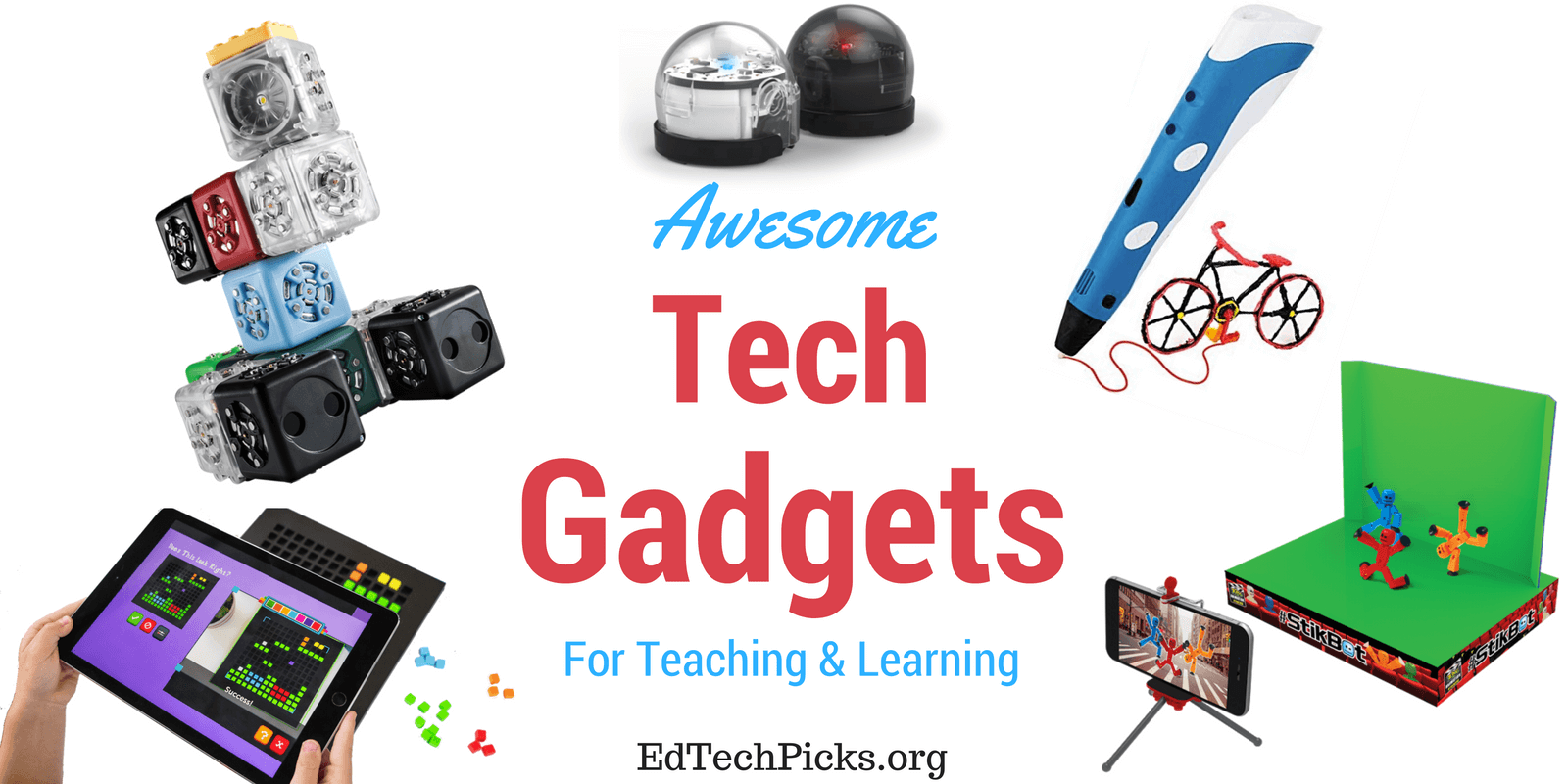
Image source: Nick's Picks For Educational Technology
What Is the Difference Between Educational Gadgets and EdTech?
It is common to hear the terms "gadgets" and "EdTech" used interchangeably, but they represent two distinct halves of the learning ecosystem. As noted by Study Unicorn , gadgets refer specifically to the physical hardware—the tablets, smart pens, interactive boards, and laptops. EdTech, or Educational Technology, is the broader umbrella that includes the software, platforms, and AI tutors that run on those devices.
Understanding this distinction is vital for school IT teams and administrators. Hardware management involves "lifecycle management"—the process of imaging, deploying, and eventually recycling devices. A common frustration for IT departments is the "wrench in the machine" effect, where high-quality software fails because the physical hardware is outdated or incompatible. For teachers, the gadget is the tool they hold, while EdTech is the lesson they teach.
Furthermore, hardware durability is a primary concern. In a K-12 environment, a gadget must withstand the rigors of daily use by children. This has led to a rise in "ruggedized" versions of popular tablets and laptops. When selecting gadgets for education, the focus should be on how the physical attributes of the device—such as battery life, screen clarity, and stylus latency—support the software being used.
Essential Gadgets for Teachers to Manage Modern Classrooms
Classroom management is often the most taxing part of a teacher's day. Fortunately, several low-cost gadgets have emerged as highly effective tools for maintaining order and focus without the need for constant verbal reminders.
How to Use Wireless Doorbells for Better Attention
One of the most popular "hacks" in modern teaching is the use of a simple wireless doorbell. For a small investment of $15 to $20, teachers can replace the "teacher stare" or the need to shout over a noisy room. These devices often have a range of up to 1,000 feet, making them suitable for large gymnasiums or science labs.
By assigning different chimes to specific actions—such as one chime for "clean up" and two chimes for "eyes on me"—teachers can create a non-verbal communication system that reduces vocal strain and keeps students on task. This method is widely regarded as a top choice for elementary and middle school educators who need quick transitions between activities.
Why Visual Timers Help Students With ADHD Stay on Track
Time-blindness is a common challenge for students, particularly those with ADHD. Traditional digital clocks can be abstract and difficult to process during a high-focus task. Visual timers, which feature a "red disappearing disk," provide a concrete representation of passing time. As the red section shrinks, students can see exactly how much time remains for a task.
This tool is exceptionally strong for managing transitions. When students can see the time winding down, they are better prepared to shift their focus, reducing the anxiety often associated with sudden stops in activity. It is a simple piece of hardware that yields a high return on investment in terms of classroom harmony.
Using Color-Changing LED Strips to Signal Noise Levels
Another innovative use of hardware involves color-changing LED strips. By mounting these strips at the front of the classroom, teachers can signal the expected noise level for any given period. For example:
- Red: Silent individual work.
- Yellow: "Whisper" or partner talk.
- Green: Group discussion and collaboration.
This visual logic system provides immediate feedback to the entire room. If the noise level begins to creep up, the teacher can simply tap a remote to change the color, serving as a silent cue for students to self-regulate.
Why Document Cameras Are Still a Versatile Tool
Despite the rise of digital tablets, the document camera remains a staple of the modern classroom. These devices allow a teacher to project a physical worksheet, a lab specimen, or a page from a book onto a large screen via a single USB connection. This ensures that a student in the back row has the same visibility as one in the front.
Document cameras are particularly useful for "live modeling." A teacher can demonstrate the steps of a complex math problem or a delicate dissection in real-time, allowing students to follow along with precision. This hardware bridges the gap between physical materials and digital display, making it a top-tier option for science and math educators.
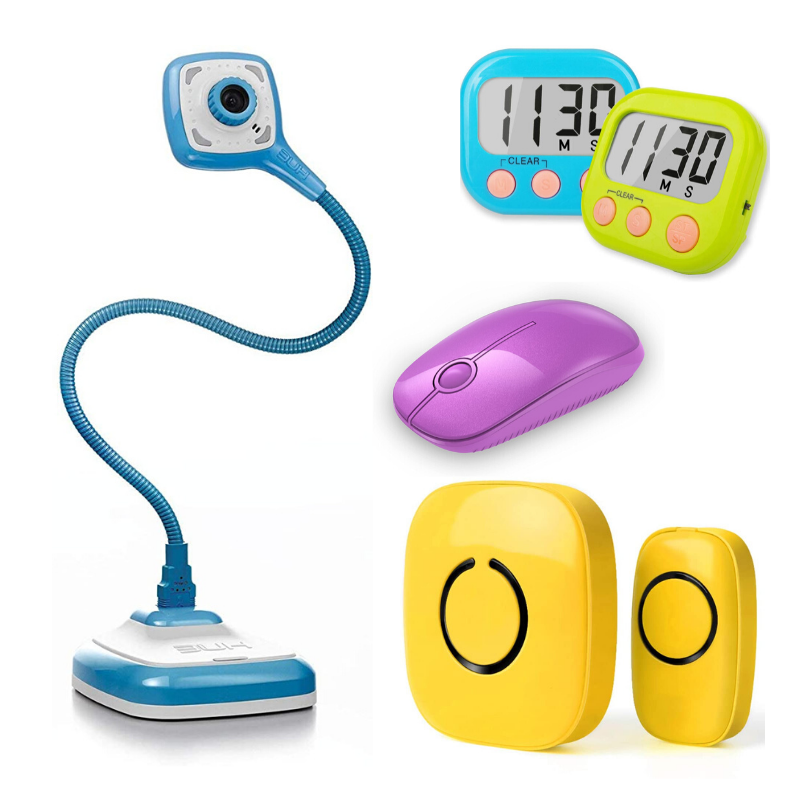
Image source: Maneuvering the Middle
Top Productivity Gadgets for Students in Higher Education
In higher education, the focus shifts from classroom management to individual productivity and "deep work." Students are often required to manage vast amounts of information across multiple formats.
Why Smart Pens Are a Significant Advancement for Note Taking
Smart pens, such as those from Livescribe, represent a significant advancement in how students capture lecture content. These devices use an "Audio-Visual Note-Link" system. As a student writes on specialized paper, the pen records the ambient audio of the lecture. Later, the student can tap any word they wrote, and the pen will play back the exact audio recorded at the moment that word was written.
This is a premier choice for students in complex subjects like law or medicine, where missing a single nuance in a lecture can be costly. It allows for a more relaxed note-taking experience, as the student knows they have a perfect audio backup synced to their handwritten cues.
Choosing Between Tablets and Laptops for Daily Work
The debate between tablets and laptops continues to evolve. For many students, a high-end tablet with a stylus (like an iPad Pro or Surface Pro) offers the best of both worlds: the portability of a tablet for reading and the precision of a stylus for annotating PDFs. However, for heavy writing or coding tasks, a traditional laptop remains a more robust option.
Current trends suggest that a "hybrid" approach is becoming the standard. Many students use a laptop as their primary workstation and a smaller tablet for on-the-go reading and quick notes. When choosing, students should prioritize battery life and keyboard ergonomics, as these factors most directly impact long-term productivity.
Noise Canceling Headphones for Deep Focus in Dorms
While often viewed as an entertainment gadget, noise-canceling headphones are an essential productivity tool in the university environment. Dormitories and student centers are rarely quiet. High-quality active noise-canceling (ANC) hardware allows students to create a "portable study hall" anywhere they go.
By blocking out distracting ambient noise, these gadgets facilitate the "deep work" necessary for mastering difficult concepts. Investing in a pair with long battery life and comfortable ear cups is widely considered a wise move for any serious student.
How to Set Up a Seamless Classroom Tech Workflow
The true power of educational gadgets is realized when they are linked together in a cohesive workflow. This addresses the "Implementation Gap" by moving beyond isolated device use.
The Mirroring Workflow for Instant Student Feedback
One of the most effective strategies for modern teachers is the "Mirroring Workflow." This involves combining a teacher's tablet with a classroom display via a device like an Apple TV or a wireless casting dongle.
- Capture: The teacher walks around the room while students are working, using their tablet to take a photo of a student's unique solution or a common mistake.
- Mirror: With one tap, the teacher "mirrors" their tablet screen to the main classroom projector.
- Discuss: The entire class can now see the student's work in real-time. The teacher can use a stylus to annotate directly over the photo, highlighting key steps or correcting errors.
This workflow allows for immediate, authentic feedback and keeps the teacher mobile, rather than tethered to a desk at the front of the room.
Setting Up the Skype Mountain for Global Collaboration
The "Skype Mountain" is a classroom design concept that uses tiered seating and high-quality audio-visual hardware to facilitate global video conferencing. Instead of just watching a video, students can interact with experts from around the world. As noted by Global Citizen , this setup allows for "virtual field trips" where students can interview a scientist in Antarctica or a historian in Rome.
To implement this, a classroom needs a high-definition wide-angle camera and a boundary microphone that can pick up student questions from anywhere in the room. This hardware setup transforms the classroom from a closed box into a global hub.
Implementing Adaptive Learning Loops With Personal Devices
Adaptive learning is a process where software adjusts the difficulty of tasks based on a student's performance. Gadgets facilitate this by providing the necessary "loop." When a student works on a personal device, the hardware captures their response time and accuracy, feeding it back to the software which then presents the next appropriate challenge.
This ensures that students are neither bored by tasks that are too easy nor frustrated by those that are too difficult. It allows for a level of differentiation that would be impossible for a single teacher to manage manually in a class of thirty students.
Comparing High-Tech Classroom Display Solutions
Choosing the right display hardware is a major capital investment for schools. The two primary contenders are Smart Boards (wall-mounted) and Smart Tables (collaborative horizontal surfaces).
| Feature | Smart Board (Wall-Mounted) | Smart Table (Collaborative) |
|---|---|---|
| Primary Use | Whole-class instruction | Small group collaboration |
| Touch Points | Typically 10-20 points | Up to 40 simultaneous points |
| Visibility | High (visible to whole room) | Low (visible to those at table) |
| Engagement | Teacher-led | Student-led |
When to Choose a Projector Over an Interactive Display
While interactive displays are popular, high-end laser projectors still offer significant value, particularly for large rooms. Projectors can create a much larger image for a lower cost per square inch. In a large lecture hall, a 100-inch interactive panel may still be too small for students in the back to see clearly. In these cases, a high-brightness projector paired with a traditional whiteboard remains a highly competitive option.
The Ethics and Challenges of Mandatory Educational Gadgets
As gadgets become mandatory in many school districts, new ethical challenges have emerged. These range from financial burdens on families to the potential for digital distraction.
Addressing the Mandatory Gadget Burden for Parents
In some regions, parents have expressed concern that expensive laptops or tablets are being required as "packaging"—a way for schools to appear modern—rather than as essential learning tools. This "Mandatory Gadget Burden" can alienate low-income families. Educators must ensure that there are always "low-tech" alternative paths, such as physical textbooks and paper-based assignments, for those who cannot afford or do not want to rely on expensive hardware.
How to Manage Digital Distractions in the Classroom
The presence of a gadget is a double-edged sword. While it provides access to information, it also provides access to distractions. Expert Jim Tracy has warned of a "disconnect" when students live in a 21st-century digital world for 18 hours a day but are expected to sit in a "19th-century classroom" for 6 hours. The solution is not to ban the gadgets, but to implement discipline-focused strategies.
"Technology allows for greater differentiation and varied assessments, but it requires a fundamental shift in mindset for both parents and teachers." — Kirsty Kelly, Canadian International School
Budget Friendly Gadgets for Underfunded Classrooms
You do not need a massive budget to improve your classroom's tech profile. Several items under $30 can make a significant difference:
- Magnetic Whiteboard Organizers: Keeps styluses and remotes from getting lost.
- Basic Styluses: Allows students to use older tablets for handwriting and drawing.
- Cable Management Sleeves: Extends the life of expensive chargers and cables by preventing fraying.
- Laser Pointers: Helps teachers highlight specific areas of a projected image from across the room.
Frequently Asked Questions
What are the most essential gadgets for remote learning?
For remote learning, the most critical hardware includes a high-definition webcam and a dedicated microphone. Built-in laptop cameras often struggle with low light, and internal mics can pick up too much background noise. A simple ring light can also significantly improve video quality, making the student or teacher more visible and engaging during live sessions.
How do I choose gadgets for K-12 vs. Higher Ed?
K-12 gadgets should prioritize durability and centralized management. Tablets with rugged cases and Chromebooks are popular because they are easy for IT teams to lock down and monitor. In Higher Ed, the priority shifts to portability, battery life, and specialized features like high-pressure sensitivity for digital art or powerful processors for engineering software.
Are expensive smart pens worth the investment?
For students who struggle to keep up with fast-paced lectures, smart pens are often worth the cost. The ability to sync audio to specific handwritten words is a feature that few other tools can replicate. However, for students who prefer typing or who already have a high-quality recording setup, a standard tablet and stylus may be sufficient.
How can teachers prevent gadget-related distractions?
Effective management starts with clear "tech-up" and "tech-down" signals. Using visual cues like the LED strips mentioned earlier, or a simple "screens at 45 degrees" rule, helps students know when it is time to use the device and when it is time to listen. Additionally, using classroom management software that allows teachers to see student screens in real-time can act as a powerful deterrent to off-task behavior.
What is the average lifespan of a classroom tablet?
In a typical school environment, the functional lifespan of a tablet is approximately 3 to 4 years. While the hardware may still work after this point, the battery health often declines, and the processor may struggle to run the latest educational software. Planning for a 4-year refresh cycle is a standard practice for most well-funded school districts.
The Bottom Line
Integrating gadgets into education is a journey of finding the right balance between high-tech potential and practical classroom reality. Here are the key takeaways for 2026:
- Prioritize Management Hacks: Low-cost tools like wireless doorbells and visual timers often provide the most immediate return on investment for classroom harmony.
- Focus on Workflow: A gadget is only as good as the workflow it supports. Use mirroring and adaptive loops to make learning more interactive.
- Choose Collaborative Hardware: For group zones, look for devices like smart tables that support high numbers of simultaneous touch points.
- Address the Ethics: Be mindful of the financial burden on parents and always provide low-tech alternatives to ensure equity.
- Invest in Durability: For K-12, ruggedized hardware is essential to survive the daily wear and tear of a school environment.
- Bridge the Gap: Use hardware like document cameras to link physical materials with digital displays.
Start by identifying one specific "Implementation Gap" in your current setup and choose a single gadget that directly addresses that friction point.