 Home
Home
How to Choose the Best Graphic Design Software for Your Budget and Skill Level
For industry-standard collaboration, Adobe Creative Cloud remains the primary choice. However, those seeking to avoid recurring costs find Affinity Suite to be a top-tier one-time purchase alternative. For digital illustration, Adobe Fresco stands out as a top choice now that it is entirely free, while Canva remains one of the strongest options for rapid social media content creation.
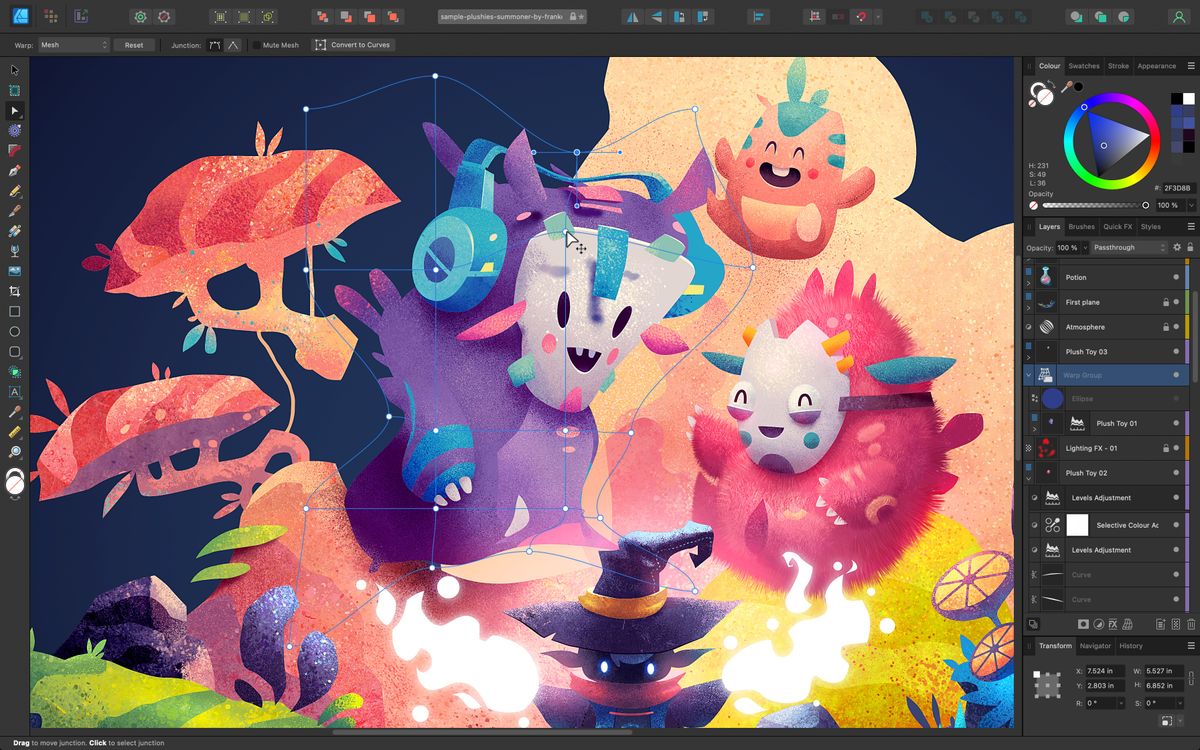
Image source: TechRadar
Why Your Choice of Design Software Impacts Your Bottom Line
In the modern digital economy, visual communication is no longer a luxury; it is a core business driver. Research indicates that users form a first impression of a brand in just 50 milliseconds , a phenomenon known as the "50-millisecond rule." This split-second judgment is heavily influenced by the fidelity and professionalism of your visual assets. Utilizing high-tier graphic design software ensures that your brand meets the aesthetic standards required to build immediate trust.
The financial implications are equally significant. According to recent marketing data, approximately 19% to 21% of marketers report seeing their highest ROI from high-quality images and short-form video content. When you invest in professional-grade tools, you aren't just buying features; you are investing in the speed and quality necessary to capture this return. High-end software often includes automation and AI features that can reduce production time by hours, directly impacting your operational costs.
However, the "cost of free" is a real factor for growing businesses. While open-source or basic free tools may seem attractive initially, they often lack the specialized features—such as CMYK color profiles for print or advanced typography controls—that professional suites provide. This can lead to costly errors during the production phase. Choosing the right tool involves balancing the initial software cost against the long-term efficiency gains and the quality of the final output.
The 2026 Graphic Design Software Power Grid
Navigating the software landscape requires understanding how different tools align with your hardware and specific needs. The following grid maps the most popular options based on their pricing models, primary functions, and learning curves.
| Software Name | Pricing Model | Primary Use | Hardware Fit | Learning Curve |
|---|---|---|---|---|
| Adobe Photoshop | Subscription | Raster / Photo | High-End PC/Mac | 4/5 |
| Adobe Illustrator | Subscription | Vector Graphics | High-End PC/Mac | 4/5 |
| Affinity Designer | One-Time Purchase | Vector / Raster | Mac, PC, iPad | 3/5 |
| Canva | Freemium (Sub) | Social / Layout | Browser / Mobile | 1/5 |
| Adobe Fresco | Free (2026) | Illustration | iPad / Win Touch | 2/5 |
| CorelDRAW | One-Time / Sub | Print / Vector | Windows (Primary) | 4/5 |
| Figma | Freemium (Sub) | UI/UX Design | Browser / Desktop | 3/5 |
Industry Standard Tools for Professional Workflows
For decades, the Adobe Creative Cloud ecosystem has been widely regarded as the benchmark for professional design. This dominance is not merely due to longevity but stems from a deeply integrated ecosystem that allows assets to move seamlessly between applications like Photoshop, Illustrator, and InDesign. For professionals working in print, publishing, or high-end advertising, these tools are often non-negotiable requirements for collaboration.
Adobe Creative Cloud and Firefly AI
As of 2026, Adobe has significantly advanced its AI integration through the Firefly engine. Features that once took hours of manual labor, such as complex object removal or sky replacement, are now achievable with a single click. According to PCMag's latest assessments , these machine-learning capabilities have transformed Photoshop from a simple editor into a generative powerhouse. This saves professionals significant time, allowing them to focus on creative direction rather than technical execution.
CorelDRAW Graphics Suite
While Adobe dominates the creative agency space, CorelDRAW Graphics Suite remains a leader for industry-grade print and packaging design. It is particularly favored in the signage and apparel industries due to its robust vector handling and Windows-centric performance optimizations. Many users find its all-in-one approach—combining vector illustration and page layout in a single application—to be more intuitive than switching between multiple Adobe apps.
Professional Alternatives That End Subscription Fatigue
A growing trend in the design community is the move away from recurring monthly costs. "Subscription fatigue" has led many solo professionals and small studios to seek out high-quality alternatives that offer a one-time purchase model. The most prominent contender in this space is the Affinity Suite by Serif.
The Affinity Suite (Designer, Photo, Publisher)
Affinity Designer and its counterparts have set a high standard for performance. Unlike some older software that can lag when handling complex vector paths, Affinity offers real-time zooming and panning on large files without noticeable latency. Over a three-year period, the cost savings of Affinity compared to an Adobe subscription can be substantial, making it one of the strongest ROI choices for freelancers.
One of Affinity's most praised features is its non-destructive workflow. This allows designers to apply adjustments, effects, and masks that can be tweaked or removed at any time without permanently altering the original pixels or paths. This flexibility is essential for professional environments where client revisions are frequent.
Plasfy and Lifetime Licensing
For small business owners who need more power than a basic browser tool but don't require a full professional suite, Plasfy offers a middle ground. By providing a lifetime license model, it eliminates the worry of monthly overhead while offering a library of templates and vector tools that are more advanced than standard free options.
Best Free Graphic Design Software for Every Device
The landscape for free software has shifted dramatically in recent years. In a significant move for 2026, Adobe Fresco has transitioned to a completely free model for all users on supported devices. This includes access to a massive library of premium brushes and 5GB of cloud storage, positioning it as a top-tier recommendation for digital artists who previously relied on paid apps like Procreate.
Canva and Adobe Express
For non-designers or those needing to produce rapid social media content, Canva and Adobe Express are widely considered the top choices. These tools leverage cloud-based rendering, meaning they perform exceptionally well even on low-end hardware or Chromebooks. They provide a vast array of templates that help maintain visual hierarchy and brand consistency without requiring a deep knowledge of design theory.
Open-Source Champions: GIMP and Inkscape
For users who want full desktop power without spending a dime, GIMP (for raster) and Inkscape (for vector) remain the open-source champions. While their interfaces can be less polished than their commercial counterparts, they offer a level of technical depth that few other free tools match. They are particularly popular in the Linux community and among users who prioritize software freedom and privacy.
Specialized Tools for UI/UX and Web Design
It is important to distinguish between "Graphic Design" (which focuses on static visuals) and "Interface Design" (which focuses on interactive experiences). In the realm of UI/UX, Figma has established a dominant position. Its browser-based, collaborative environment allows multiple designers to work on the same file simultaneously, a feature that has become essential for modern tech teams.
Sketch remains a popular choice for Mac-purist designers who prefer a native application experience. While it lacks the cross-platform flexibility of Figma, its performance on macOS is exceptionally strong. When choosing between these, consider your team's hardware: if you are in a mixed Windows/Mac environment, Figma is typically the more practical choice.
How to Transition from Adobe to a Subscription-Free Workflow
Switching software is rarely just about the price; it’s about the "muscle memory" and file compatibility. If you are moving from Adobe to Affinity, you should be aware of the following workflow realities:
Affinity can open .PSD, .AI, and .PDF files. However, complex features like Adobe's "Smart Objects" or specific proprietary filters may not translate perfectly. Always keep a backup of your original files.
One of the most used features in Illustrator is "Image Trace." In Affinity, you will use dedicated vector conversion tools. While the process differs slightly, the results are often comparable in quality.
While many shortcuts (like 'V' for the Move tool) are universal, others differ. Spend the first week customizing your workspace to match your old Adobe layout to minimize the learning curve.
Which Software Works Best on Your Specific Hardware?
Your hardware often dictates your software choices. A tool that runs smoothly on a high-end workstation might be unusable on a tablet.
Mobile & Tablet (iPad/Stylus)
- Adobe Fresco: Optimized for Apple Pencil and touch.
- Procreate: The standard for iPad-only illustration.
- Affinity Designer: Full desktop power on a tablet.
Desktop & Laptop (Mac/PC)
- Adobe InDesign: Essential for multi-page layouts.
- CorelDRAW: Ranks among the top for Windows users.
- Photoshop: Requires at least 16GB of RAM for smooth 2026 workflows.
Core Design Principles to Apply Regardless of Your Tool
Even the most advanced software cannot fix a poor design. Professional results depend on the application of fundamental principles. According to Highlander's design experts , visual hierarchy is the most critical element. This involves using typography—specifically adjusting kerning (space between letters) and leading (space between lines)—to guide the reader's eye to the most important information first.
Furthermore, professional layouts almost always rely on Grid Systems . Whether you are using a baseline grid in InDesign or a modular grid in Figma, these invisible structures ensure that your elements are aligned and balanced. Without a grid, designs often fall into the "chaotic vs. bold" trap, where a layout feels "busy" and drives users away rather than engaging them. Using white space effectively is not "wasted" space; it is a functional tool that allows the viewer's brain to process the information more efficiently.
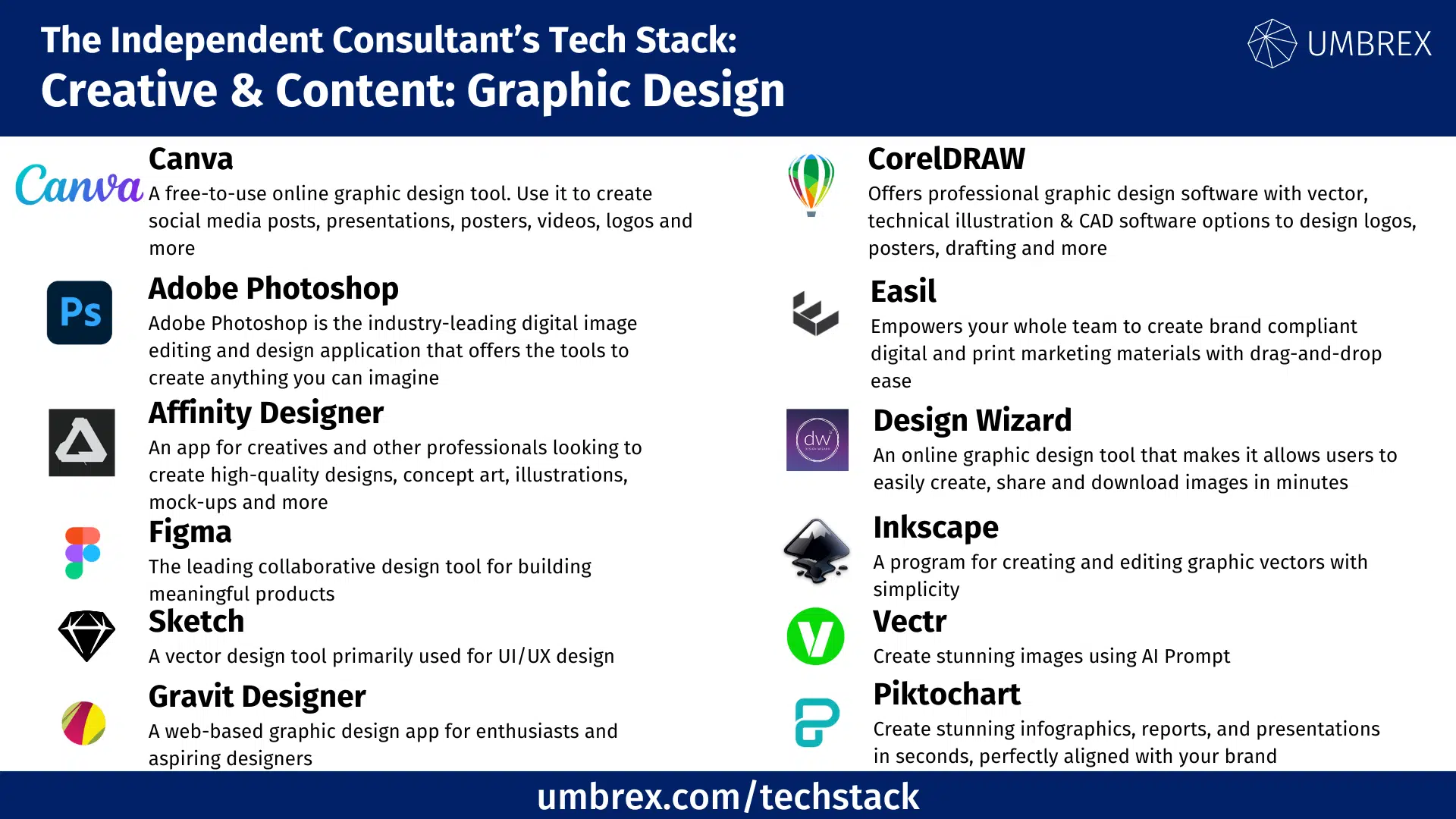
Image source: Umbrex
Frequently Asked Questions
The Bottom Line
- Adobe Creative Cloud remains the industry standard for collaborative agency work and high-end publishing.
- Affinity Suite offers the best ROI for solo professionals looking to escape monthly subscription fees.
- Adobe Fresco stands out as a top choice for digital illustrators due to its new free-to-use model.
- Canva is one of the strongest options for speed, ease of use, and social media content creation.
- Figma is the dominant choice for UI/UX and collaborative web design projects.
- Hardware matters: Always match your software choice to your device's RAM and input capabilities (like a stylus).
To find your perfect fit, consider starting a "Trial Stack" by testing Adobe Fresco for illustration, Canva for social media, and the Affinity free trial for professional layout work.















