 Home
Home
Which Graphic Design Software Should You Actually Use for Your Next Project?
Top choice for agency professionals and high-end print work.
One-time purchase with professional-grade vector and raster tools.
Ideal for social media managers and non-designers needing fast results.
Now free for iPad and Windows, offering high-quality live brushes.
The graphic design industry has evolved into a massive $43.4 billion global market as of 2026, according to G2 market reports . In this landscape, the tools you choose are no longer just about personal preference; they are about workflow efficiency, client compatibility, and psychological impact. Research indicates that users form a first impression of a design in just 50 milliseconds , a window so brief that the technical precision of your software can directly influence brand trust and user engagement.
While the market was once dominated by a single "all-in-one" solution, the modern designer typically utilizes a specialized stack. Whether you are a freelance brand identity designer, a social media manager, or a digital illustrator, understanding the nuances between vector and raster environments is the first step toward professional mastery. This guide breaks down the leading options for 2026, helping you navigate subscription fatigue and technical requirements to find the right fit for your career path.
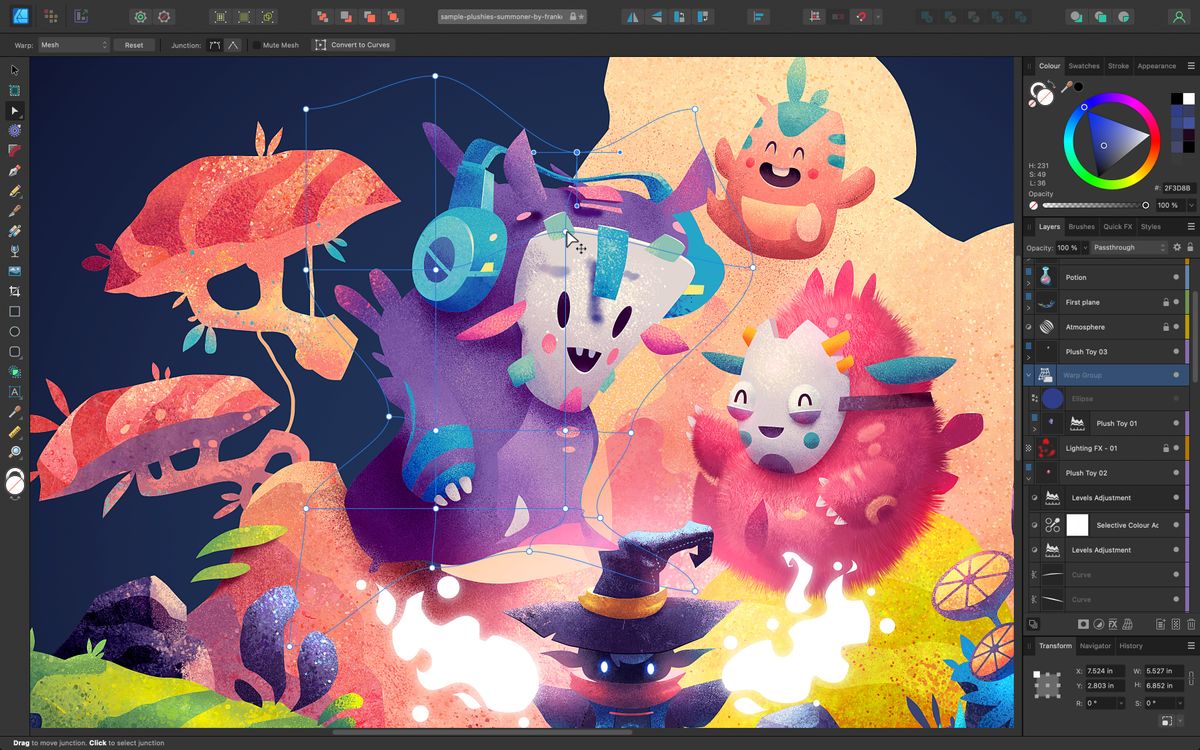
Image source: TechRadar
Understanding the Difference Between Vector and Raster Software
Before selecting a tool, you must understand the two fundamental ways computers handle visual data. Choosing the wrong format for a project can lead to blurry logos, massive file sizes, or unprintable assets. Most professional workflows involve a combination of both, but they serve very different purposes in the design ecosystem.
Why Scalability Matters for Logos and Billboards
Vector software, such as Adobe Illustrator or Affinity Designer, uses mathematical equations to define shapes. Instead of storing information about individual pixels, it stores information about points, paths, and curves (Bézier curves). This mathematical foundation means that a vector asset is infinitely scalable. You can design a logo on a 2-inch canvas and scale it up to cover the side of a skyscraper without losing a single ounce of clarity.
According to PCMag's technical analysis , vector tools are essential for branding because they allow for clean lines and precise geometric control. If you are creating a logo, an icon set, or a typography-heavy layout, a vector-based environment is non-negotiable. It also results in significantly smaller file sizes for simple graphics, as the computer only needs to remember the coordinates of the paths rather than millions of colored dots.
When to Use Pixel-Based Software for Photo Editing
Raster software, like Adobe Photoshop or GIMP, operates on a grid of pixels. Each pixel is assigned a specific color value. This format is necessary for photography and complex digital painting where subtle gradients, textures, and lighting effects are required. Because raster files store data for every single pixel, they are much better at handling the complexity of a real-world photograph.
However, raster images have a fixed resolution. If you attempt to scale a raster image beyond its original dimensions, the software must "guess" what the new pixels should look like, resulting in the blocky, blurry effect known as pixelation. For this reason, raster software is primarily used for photo retouching, digital compositing, and web-based imagery where the final output size is known in advance.
- Infinitely scalable without quality loss
- Ideal for logos, icons, and typography
- Small file sizes for geometric art
- Easy to edit individual paths/shapes
- Best for complex photo manipulation
- Essential for digital painting/textures
- Resolution-dependent (can pixelate)
- Large file sizes for high-res images
Leading Professional Graphic Design Software for Industry Standards
For those pursuing a career in an agency or high-end freelance environment, "industry standard" is a phrase you will hear often. It refers to the software that most vendors, printers, and collaborators use, ensuring that files can be handed off without technical errors.
Why Adobe Creative Cloud Remains a Top Choice for Pros
Adobe Creative Cloud (CC) is widely regarded as the most comprehensive ecosystem in the design world. The suite includes Photoshop for raster work, Illustrator for vectors, and InDesign for multi-page layouts. The primary advantage of Adobe is its deep integration; you can drag a vector asset from Illustrator directly into a Photoshop mockup, and any changes made to the original file will update automatically across your projects.
Furthermore, many professional printing houses and agencies demand .PSD or .AI files. Using Adobe ensures that your layers, masks, and color profiles remain intact when sharing work. While the subscription model is a common point of contention, the inclusion of Adobe Fonts and 1TB of cloud storage provides significant value for full-time professionals who need a seamless workflow across desktop and mobile devices.
How Affinity Suite Offers a Powerful One-Time Purchase Alternative
Affinity (by Serif) has emerged as one of the strongest contenders to Adobe's dominance. Affinity Designer, Photo, and Publisher offer nearly identical feature sets to their Adobe counterparts but without the recurring monthly fee. This "one-time purchase" model has made it a favorite for freelancers and small studios looking to reduce overhead costs.
One notable innovation in Affinity is the "Persona" system. In Affinity Designer, you can switch from a vector workspace to a pixel workspace with a single click, allowing you to add textures and brushwork to your vector shapes without switching applications. As noted by Affinity's official documentation , their software is built on modern codebases, often resulting in faster performance on newer hardware compared to older, legacy-heavy applications.
CorelDRAW for Specialized Print and Illustration Workflows
While often overlooked by web-focused designers, CorelDRAW remains a high-performance tool in the signage, apparel, and large-format print industries. Its suite is built specifically for production, featuring tools that make it easier to prepare files for vinyl cutters, screen printing, and CNC machines. For designers working in local print shops or industrial manufacturing, CorelDRAW is frequently the preferred choice due to its robust color management and layout precision.
Image source: AND Academy
Top Free Graphic Design Software for Beginners and Budget-Conscious Creators
You do not need a massive budget to start creating professional-level visuals. In recent years, the gap between paid and free software has narrowed significantly, with several tools offering high-end features at zero cost.
Using Canva and Adobe Express for Fast Marketing Visuals
For social media managers and small business owners, the "time-to-value" ratio is critical. Canva and Adobe Express utilize a template-based approach that allows non-designers to create polished graphics in minutes. These tools are not meant for creating complex logos from scratch, but they are exceptionally strong for resizing assets for different social platforms, removing backgrounds with AI, and maintaining brand consistency through shared libraries.
Canva’s growth is particularly notable; it has become a staple for quick marketing collateral due to its massive library of stock photos and elements. According to HubSpot's marketing analysis , 21% of marketers now use visual content as their primary strategy to increase SEO dwell time, and tools like Canva make this accessible to everyone.
Why Adobe Fresco Is Now a Must-Have for Digital Illustrators
In a significant move for the creative community, Adobe made Fresco completely free for iPad and Windows users in late 2024. Fresco stands out for its "Live Brushes," which use AI to mimic the behavior of real oil and watercolor paints. When you use a watercolor brush, the "paint" actually bleeds and blends on the digital canvas just as it would on paper. For illustrators who want a natural feel without the cost of a full Creative Cloud subscription, Fresco is a top-tier option that includes 5GB of free cloud storage.
Getting Professional Results with Open-Source GIMP and Inkscape
If you are looking for the power of Photoshop or Illustrator without the price tag, the open-source community provides GIMP (raster) and Inkscape (vector). These tools are entirely free and community-driven. While they have a steeper learning curve and interfaces that may feel less polished than commercial software, they are incredibly capable. Inkscape, in particular, is highly regarded for its adherence to SVG (Scalable Vector Graphics) standards, making it a favorite for web developers and technical illustrators.
Advanced Techniques to Improve Your Design Workflow Instantly
Software is only as good as the techniques you apply. Professional designers use specific "hacks" to ensure their work is legible, balanced, and ready for the real world. Integrating these into your workflow can elevate your output regardless of which tool you use.
How to Use the Black and White Contrast Hack for Better Hierarchy
One of the most effective professional tricks is the Black and White Contrast Hack . It is easy to get distracted by beautiful colors and lose sight of whether the design actually works. To fix this, place a solid black layer at the very top of your layer stack and set its blending mode to "Color" or "Saturation."
This turns your entire design grayscale instantly. If you can still clearly read the text and identify the most important elements, your visual hierarchy is strong. If everything blends into a muddy gray, your contrast is too low. This technique ensures that your design is accessible to color-blind users and remains legible in low-light conditions.
Designing for Mobile Devices in High-Light Environments
A common pitfall is designing exclusively in a dark, controlled studio environment. However, mobile devices are often used outdoors in bright sunlight. When designing for mobile apps or websites, experts recommend using the lightest interface setting in your software. Designing on a dark background can lead you to choose colors that look great in your studio but lack sufficient contrast to be readable on a phone screen at high noon. Always test your designs against real-world lighting scenarios.
Applying the Imposition Rule for Flawless Print Layouts
For designers moving from digital to print, the "Imposition Rule" is a vital piece of knowledge. When creating a saddle-stitched booklet (like a small magazine), the pages are printed on large sheets that are folded and stapled. This means that page 1 and the very last page are actually printed on the same physical piece of paper.
The rule is simple: Total Pages + 1 . The two page numbers on any shared sheet must add up to the total number of pages plus one. In an 8-page booklet, pages 1 and 8 share a sheet (1+8=9), as do pages 2 and 7 (2+7=9). Understanding this helps you design spreads that transition perfectly across the fold.
Choosing the Right Software Stack for Your Specific Career Path
Building a functional ecosystem is more important than picking a single "best" tool. Depending on your career goals, your "stack" will look different. Here are three common professional combinations for 2026.
Canva (for rapid template creation) + Adobe Express (for brand-aligned assets) + CapCut (for vertical video editing). This stack prioritizes speed and platform-specific trends.
Adobe Illustrator (for primary logo construction) + Affinity Designer (for sketching on iPad) + InDesign (for creating professional brand guideline PDFs). This stack focuses on precision and industry-standard handoffs.
Procreate (for initial sketching and line work) + Adobe Fresco (for realistic painting effects) + Photoshop (for final color grading and texture overlays). This stack maximizes creative expression and fine-art textures.
Avoiding Common Pitfalls in Professional Graphic Design
Even with the most expensive software, certain traps can derail a project. Being aware of these common issues will save you hours of frustration and improve your relationship with clients and developers.
How to Escape the Mockup Trap During UI Development
In UI/UX design, the "Mockup Trap" occurs when a designer creates a "pixel-perfect" static image that looks beautiful but is impossible to build with code. This often happens when designers use non-standard fonts, impossible gradients, or layouts that don't account for different screen sizes. To avoid this, designers should work closely with developers and own the final build rather than just the static file. Tools like Figma or Adobe XD are better suited for this than Photoshop, as they allow for responsive testing.
Managing Software Lag and Performance Issues on High-End Machines
A frequent complaint among Adobe users is software lag, even on high-end computers. This is often caused by background processes like Creative Cloud Sync or excessive "Scratch Disk" usage. To optimize performance, ensure your software is assigned enough RAM in the preferences menu and regularly clear your cache. If you find your workflow consistently slowing down, consider switching to Affinity, which is widely regarded for its smoother performance on modern processors.
Why Compatibility Matters When Choosing Between GIMP and Photoshop
While GIMP is a highly capable free editor, it faces a "Client Barrier." Most professional agencies and printing vendors operate exclusively within the Adobe ecosystem. If you send a GIMP file (.XCF) to a client, they likely won't be able to open it. Even exporting to .PSD from GIMP can sometimes result in broken layers or lost text formatting. If your goal is to work with large teams, investing in the industry-standard software is usually worth the subscription cost for the sake of compatibility alone.
| Software | Primary Use | Price Model | Learning Curve | Platform |
|---|---|---|---|---|
| Adobe Illustrator | Vector / Logos | Subscription | High | Win / Mac / iPad |
| Affinity Designer | Vector / Raster | One-time | Medium | Win / Mac / iPad |
| Canva | Marketing / Social | Freemium | Low | Web / Mobile |
| Adobe Fresco | Digital Painting | Free | Medium | Win / iPad |
| GIMP | Photo Editing | Free (Open Source) | High | Win / Mac / Linux |
Frequently Asked Questions
Key Takeaways
- Vector vs Raster: Always use vector software for logos and raster software for photo editing to ensure quality.
- Contrast Hack: Use a black and white adjustment layer to verify your design's visual hierarchy.
- Adobe Dominance: Adobe remains the industry standard for agency work, but Affinity offers a high-value one-time purchase alternative.
- Free Options: Adobe Fresco is currently a top-tier free tool for digital illustrators on iPad and Windows.
- Workflow Stacks: Build a specialized toolkit (e.g., Canva for speed, Illustrator for precision) rather than relying on one tool.
- Compatibility: Consider how your software choice affects your ability to share files with clients and printers.
To start improving your designs today, try applying the black and white contrast hack to your current project to see if your visual hierarchy holds up.















