 Home
Home
How to Find the Best Free Photo Editing Software for Your Specific Needs
As of late 2026, the landscape of free photo editing has shifted toward AI-assisted workflows and browser-based power. If you need a Photoshop alternative without the subscription, Photopea stands out as a top choice for browser users, while GIMP 3.0 remains a strong contender for desktop power. For RAW photography , Darktable ranks among the top options for non-destructive editing. Beginners should look toward Canva or Pixlr for quick, template-driven results.
Image source: YouTube
Which Free Photo Editor Should You Choose First?
Navigating the world of free software in 2026 requires understanding the three distinct categories of "free." First, there is Open Source software like GIMP or Darktable, which is truly free and community-driven. Second, we have Freemium tools like Canva or Pixlr, which offer basic features for free but gate advanced AI tools behind subscriptions. Finally, there are Manufacturer Tools provided by camera brands, which are often overlooked but offer exceptionally strong color accuracy for specific hardware.
The "Commercial Investigation" phase of choosing software often leads to the paradox of choice. To simplify this, we have developed a decision framework based on your specific output goals. Are you preparing a high-resolution print, or are you creating a quick social media post? The answer dictates whether you need a heavy desktop installation or a lightweight browser tab.
| Software Name | Best For | Platform | Truly Free? | Learning Curve |
|---|---|---|---|---|
| Photopea | Photoshop-style layering | Web Browser | Yes (Ad-supported) | 4/5 |
| GIMP 3.0 | Advanced Desktop Editing | Windows/Mac/Linux | Yes (Open Source) | 5/5 |
| Darktable | RAW Photo Processing | Windows/Mac/Linux | Yes (Open Source) | 4/5 |
| Canva | Social Media & Design | Web/Mobile | Freemium | 1/5 |
| Snapseed | Mobile Quick Edits | iOS/Android | Yes | 2/5 |
Best Free Professional Software for Advanced Desktop Users
Why GIMP 3.0 Still Struggles With Non-Destructive Editing
GIMP has long been the standard-bearer for open-source image manipulation. With the release of version 3.0, the interface has seen significant modernization, moving toward a more cohesive single-window mode that feels less like a relic of the early 2000s. However, community feedback, as noted by XDA-Developers , highlights that GIMP still struggles with universal non-destructive editing. Unlike modern professional suites, applying an effect in GIMP often "bakes" the change into the pixels, making it difficult to adjust settings later without undoing several steps.
Despite this, GIMP remains a popular choice for users who need deep scripting capabilities and a wide array of community plugins. For example, the "Resynthesizer" plugin is widely regarded as a highly effective free equivalent to expensive content-aware fill tools.
How to Use the Affinity Suite for Free via Canva
One of the most significant advancements in the creative software space occurred following the merger of Canva and Affinity. As of 2026, users with a standard Canva account can access the Affinity "Studios"—Pixel, Vector, and Layout—directly through the Canva interface. This integration allows for professional-grade layer masks and vector paths within a familiar ecosystem. According to Amateur Photographer , this move has made high-end tools accessible to a much broader audience, though some advanced AI features remain behind the Canva Pro paywall.
Why Darktable Is a Top Choice for RAW Processing
For photographers who shoot in RAW format, a standard image editor is rarely enough. You need a "digital darkroom." Darktable stands out as a top-tier alternative to subscription-based RAW processors. It offers a non-destructive workflow, meaning your original files are never altered. Instead, Darktable records a series of instructions that are applied when you export the final image. It excels in highlight recovery and noise reduction, though its interface can be intimidating for those used to simpler sliders.
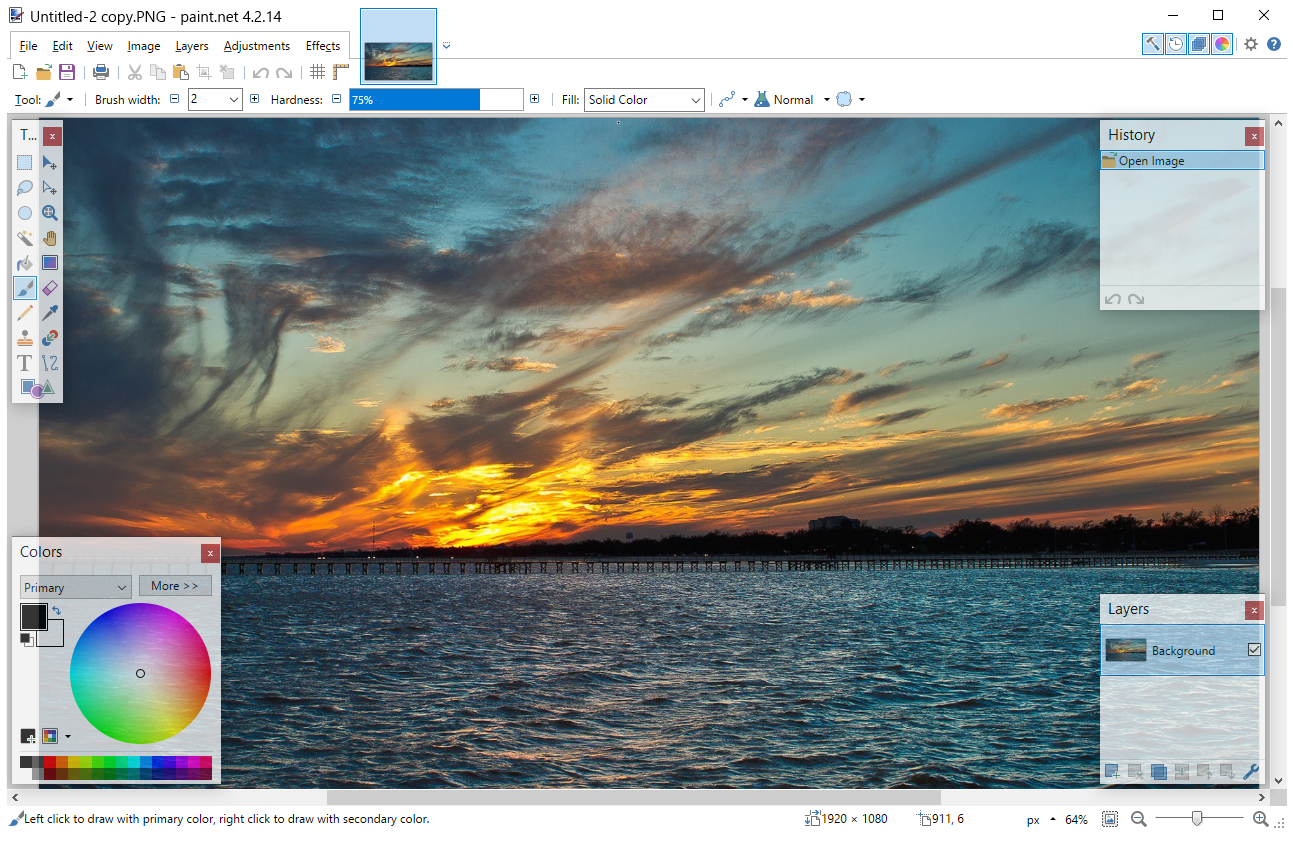
Image source: Lifewire
Best Browser-Based Editors That Feel Like Photoshop
Why Photopea Is a Leading Choice for PSD Files
Photopea has become a staple for designers who need to work on the go. It is essentially a "Photoshop mirror" that runs entirely in your web browser. It supports .PSD, .AI, and .Sketch files, making it an excellent choice for cross-platform collaboration. Because it mimics the layout of Adobe's flagship software, the transition for experienced users is almost seamless. It handles complex masking, smart objects, and layer styles with a level of precision that few competitors match.
How Pixlr Uses AI Credits to Compete With Paid Software
Pixlr has pivoted heavily toward AI-driven editing. Unlike Canva, which often requires a flat monthly fee for its "Magic" tools, Pixlr uses a credit-based system. As noted by Hinson Photography , this allows casual users to access powerful generative fill and background removal tools without a $120/year commitment. However, users should be aware that the free tier is ad-supported, which can occasionally disrupt the creative flow.
Why You Should Use Your Camera Manufacturer's Free Software
There is a "Manufacturer Secret" that many professional photographers swear by: using the software that came with your camera. Whether it is Nikon NX Studio , Canon Digital Photo Professional (DPP) , or Sony Imaging Edge , these tools are designed by the same engineers who built your camera's sensor.
If you find that your photos look "different" or "flat" when imported into a generic editor, try processing the RAW file in the manufacturer's tool first. You can then export a high-quality TIFF file to a creative editor like Photopea for final touches. This two-step process ensures you are starting with the highest possible image quality.
How to Build a Powerful Hybrid Workflow for Free
In 2026, relying on a single tool is often less efficient than using a "Hybrid Workflow." By combining the strengths of different platforms, you can achieve professional results that rival paid suites.
Use the built-in Windows Photos or Apple Photos AI Erase tool. These are remarkably fast for removing dust specs or small background distractions.
Import the cleaned image into Photopea . Here, you can handle complex layering, color grading, and precise masking that basic apps can't manage.
Move the edited image to Canva . Use their massive library of free fonts and templates to finalize the design for social media or print.
How to Spot the Watermark Trap Before You Start Editing
One of the most common frustrations in the "freemium" software world is the watermark trap. Many tools allow you to spend hours editing a photo, only to inform you at the export stage that a high-resolution version requires a payment. Based on community research from Canva's own documentation and user forums, here is a checklist of tools that are "Truly Free" vs. those with hidden costs.
- Truly Free (No Export Limits): GIMP, Darktable, Paint.net, Photopea (ad-supported but no watermark).
- The Watermark Trap (Watch Out): Fotor (certain filters), BeFunky (high-res exports), and Canva (when using "Pro" elements).
- The Credit System: Pixlr and Adobe Express (free to a point, then requires credits or subscription).
Best Free Photo Editing Apps for Mobile Creators
Why Snapseed Remains a Top Recommendation for Mobile
Despite being owned by Google and seeing fewer updates in recent years, Snapseed remains a gold standard for mobile editing. It is completely free, contains no ads, and offers a "Selective Adjust" tool that is exceptionally strong for localized edits. Its "Stacks" feature also allows for a form of non-destructive editing, as you can go back and change any filter applied earlier in the process.
How to Use Lightroom Mobile Without a Subscription
Many users assume Lightroom Mobile requires a Creative Cloud subscription. While the cloud sync and advanced AI masking are paid features, the core editing engine—including light, color, and detail sliders—is free to use. For many photographers, the free version of Lightroom Mobile provides a more professional color science than the standard filters found in Instagram or TikTok.
Why Privacy-Conscious Editors Are Choosing Bitmappery
As AI tools become more integrated into software, many users are concerned about where their photos are being processed. If you are working with sensitive or private images, sending them to a corporate server (like Canva or Adobe) might not be ideal. This has led to the rise of privacy-first tools like Bitmappery .
- Local Processing
- Bitmappery processes images directly in your browser's memory. Your photos are never uploaded to a remote server.
- Open Source Transparency
- Being open-source means the community can verify that no hidden tracking or data harvesting is occurring.
- Self-Hosting
- Advanced users can host their own instance of the editor on a private server for total control over their data.
Frequently Asked Questions
Which free photo editor is 100% free with no watermarks?
For a completely free experience without watermarks, GIMP and Paint.net are the most reliable desktop choices. If you prefer a browser-based tool, Photopea allows you to export high-resolution files without watermarks, though it does display ads on the side of the interface to fund its development. Darktable is also 100% free for RAW processing.
Is there a free version of Photoshop in 2026?
While Adobe does not offer a full free version of Photoshop, Photopea is widely considered one of the best clones available, mirroring the Photoshop interface and keyboard shortcuts. Additionally, the integration of Affinity Studio tools into the free tier of Canva provides a professional-grade alternative that covers many of the same use cases as Photoshop.
What is the easiest free photo editor for beginners?
For those who find layers and masks intimidating, Canva is a top-rated choice due to its drag-and-drop interface and massive library of templates. If you want to learn traditional editing without the steep learning curve of GIMP, Pixlr X offers a simplified set of tools that are very intuitive for first-time users.
Can I edit RAW files for free?
Yes, you can edit RAW files using Darktable or RawTherapee , both of which are open-source and highly capable. Furthermore, camera manufacturers like Nikon, Canon, and Sony provide free software specifically optimized for their own RAW formats, which often yields the most accurate color results.
Is GIMP safe to download?
GIMP is safe as long as you download it from the official website (gimp.org). Because it is open-source, the code is regularly audited by the community. You should avoid third-party "download portals" which may bundle the software with unwanted advertisements or malware.
Which free editor has the best AI background remover?
As of 2026, Adobe Express (free tier) and Pixlr offer some of the most accurate AI background removal tools. While Canva also has this feature, it is frequently gated behind their Pro subscription. For a completely offline option, the built-in "Photos" apps on Windows 11 and macOS now include surprisingly effective AI subject isolation.
Key Takeaways for Choosing Your Software
- Identify your platform: Use Photopea for browsers, GIMP for desktop, and Snapseed for mobile.
- Prioritize RAW quality: Start with your camera manufacturer's software for the best color profiles.
- Watch for traps: Always check the export settings for watermarks before spending hours on a project.
- Embrace the hybrid workflow: Don't be afraid to use three different tools to get the perfect result.
- Consider privacy: Use Bitmappery if you are working with sensitive images that shouldn't leave your device.
- Learn the basics: Even the most advanced AI tools work better when you understand lighting and composition.
Start by downloading Darktable if you are a photographer, or bookmarking Photopea if you are a designer, to begin your subscription-free creative journey today.
All trademarks, copyrighted content, and quoted material referenced in this article belong to their respective owners. Brief excerpts are used under fair use (17 U.S.C. § 107) for purposes of commentary, criticism, and informational reporting. This article is not affiliated with or endorsed by Adobe, Canva, or the GIMP Development Team.















