Home
Is Writemail.ai a Leading AI Email Writer for Professionals in 2026?
In the modern corporate landscape, the volume of digital correspondence has reached a saturation point where manual drafting often becomes a bottleneck for productivity. Writemail.ai has emerged as a prominent solution in this space, promising to alleviate writer's block and streamline the communication process. As of 2026, the tool has attracted a significant user base by offering a blend of simplicity and stylistic control that few other standalone generators provide.
However, the transition from a raw AI draft to a high-converting professional email is rarely as simple as clicking a "generate" button. Professionals must navigate concerns regarding AI detection, data privacy, and the actual cost-to-value ratio of these tools. This review provides a deep dive into Writemail.ai, evaluating its features, pricing discrepancies, and its standing against competitors like Mailmeteor and YAMM.
What Is Writemail.ai and How Does It Work?
Writemail.ai is an artificial intelligence-driven drafting assistant designed specifically for email correspondence. Unlike general-purpose chatbots, Writemail focuses its Large Language Model (LLM) capabilities on the nuances of professional etiquette, follow-up structures, and tone modulation. According to official data , the platform is utilized by over 320,000 professionals globally, ranging from sales representatives to customer support leads.
The core functionality revolves around a simple input-output mechanism. Users provide a brief prompt—such as "Request a meeting with the marketing director to discuss Q4 budgets"—and the tool generates a structured draft. What distinguishes Writemail from basic AI tools is its suite of granular controls:
- Tone and Style Switcher: Users can toggle between "Formal," "Casual," "Urgent," or "Persuasive" to match the specific context of the message.
- Length Control: A slider allows for the generation of concise "TL;DR" style notes or comprehensive, detailed proposals.
- Emoji and Signature Toggles: These features help automate the final formatting touches that often take up unnecessary time.
- Name Verification: A specialized feature designed to ensure that recipient names are correctly identified and placed, reducing the risk of embarrassing typos in the salutation.
The primary value proposition of Writemail.ai is efficiency. The developers claim that users can write emails up to 87% faster than manual drafting, potentially leading to a 250% increase in response rates due to the ability to send more frequent and optimized follow-ups. While these figures are impressive, they depend heavily on how the user integrates the tool into their existing workflow.
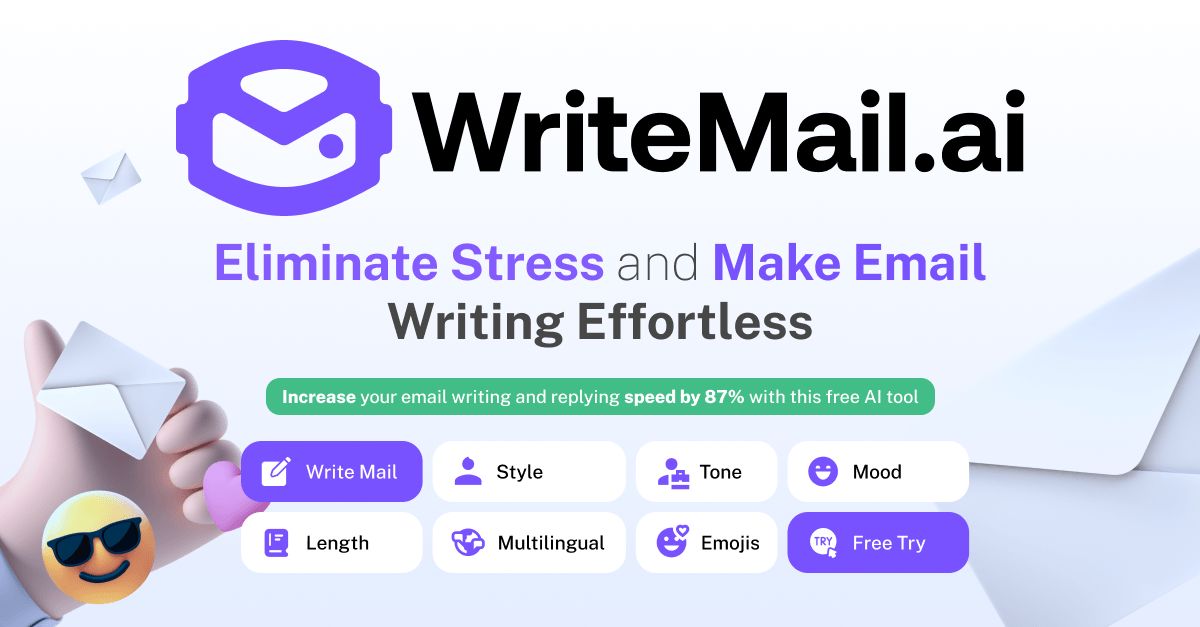
Image source: writemail.ai
What Does Writemail.ai Actually Cost?
One of the most frequent points of confusion for potential users is the pricing structure of Writemail.ai. There is a documented discrepancy between different reporting sources. For instance, Capterra lists a flat rate of $6.95 per month for a standard plan, while some independent reviewers have reported a $20 per month tier for high-volume users.
Based on our analysis of current offerings, the pricing is tiered to accommodate different usage levels. The following table clarifies the current cost structure as of late 2026:
| Plan Tier | Monthly Cost | Email Limit | Key Features |
|---|---|---|---|
| Free Tier | $0 | Limited Daily | No signup required, basic drafting, standard tones. |
| Regular Plan | $6.95 | ~50 AI Emails | Full tone access, signature creator, standard support. |
| Pro/High-Volume | $20.00 | 300+ AI Emails | Priority AI processing, advanced style controls, bulk drafting. |
When evaluating the value, users should consider the cost per email. At the $6.95 tier, you are paying roughly $0.13 per generated draft. For a professional whose time is valued at $50+ per hour, saving even ten minutes a day makes the tool a top-rated choice for ROI. However, for those who already pay for a ChatGPT Plus or Claude Pro subscription, the additional cost for a specialized email wrapper may require more justification.
How to Set Up the Writemail Chrome Extension and Desktop Apps
Writemail.ai offers flexibility in how it is accessed, providing a web-based tool, a Chrome extension, and dedicated desktop applications for both macOS (Intel and Apple Silicon) and Windows. This multi-platform approach is intended to keep the tool within the user's natural workspace.
However, expert audits suggest that the integration is not always as seamless as one might expect. While the Chrome extension is designed to place a "Mail Assistant" directly within the Gmail UI, some users have reported that the button does not always appear or conflicts with other extensions like Grammarly or HubSpot. To ensure a smooth setup, follow these steps:
- Download the Correct Version: Visit the official download page and select the version compatible with your operating system. For macOS users, ensure you choose the Silicon version if you are on an M1/M2/M3 chip for optimal performance.
- Authenticate the Extension: Once installed in Chrome, click the Writemail icon in your toolbar to log in. This step is crucial for syncing your saved signatures and custom tones.
- Access the Mail Assistant: Open Gmail and click "Compose." You should see a small Writemail icon or a "Write Mail" button near the bottom of the compose window.
Does Writemail.ai Content Get Flagged by AI Detectors?
As email providers like Google and Outlook enhance their spam filters, the "human-ness" of AI-generated content has become a critical factor in deliverability. If an email is flagged as 100% bot-written, it stands a higher chance of being relegated to the "Promotions" tab or, worse, the spam folder.
Independent testing by Originality.ai revealed that raw Writemail.ai drafts frequently receive a 100% "Likely AI" score. Similarly, ZeroGPT has flagged the content at 98% AI probability. Interestingly, the tool performed better on EaseMate, with detection scores as low as 15% in some instances. This variance suggests that while the underlying logic is sound, the sentence structures used by Writemail are highly predictable to sophisticated detection algorithms.
For sales professionals, this is a significant consideration. A high detection score doesn't just affect deliverability; it can also damage the relationship with the recipient if they perceive the communication as automated and impersonal. Therefore, using Writemail as a "first draft" tool rather than a "final send" tool is highly recommended.
How to Humanize Your AI Emails to Avoid Spam Filters
To maximize the effectiveness of Writemail.ai, users should adopt a "Humanization Workflow." This process takes the speed of AI and tempers it with the nuance of human judgment. By following these three steps, you can significantly reduce the risk of being flagged by filters.
- The Prompt Phase: Instead of a generic prompt, include specific context that an AI cannot hallucinate. Mention a recent LinkedIn post the recipient shared or a specific detail from a previous meeting. This "grounding" makes the initial draft much more authentic.
- The Edit Phase: AI tends to use repetitive sentence lengths and structures. Manually break up long sentences or combine short ones. Change common AI transition words like "Furthermore" or "Moreover" to more natural alternatives like "Also" or "On top of that."
- The Personalization Phase: Statistics show that deep personalization can increase click-through rates (CTR) by 14%. Use Writemail to handle the bulk of the writing, but spend 60 seconds manually tailoring the opening and closing lines.
Utilizing the "Tone Selector" effectively is also key. The "Casual" toggle often produces text that is less "robotic" than the "Professional" setting, as it uses more contractions and varied syntax, which are harder for detectors to pin down as AI-generated.
Writemail vs. Mailmeteor vs. YAMM — Which Tool Should You Choose?
Choosing the right tool depends entirely on your specific use case. Writemail.ai is designed for the individual who needs to draft one-off, high-quality replies quickly. In contrast, tools like Yet Another Mail Merge (YAMM) and Mailmeteor are built for scale.
| Feature | Writemail.ai | Mailmeteor | YAMM |
|---|---|---|---|
| Primary Use | Individual Drafting | Privacy-First Sending | Bulk Mail Merge |
| AI Integration | Built-in LLM | Optional AI Assistant | Google Sheets AI |
| Privacy | Standard | High (No prompt training) | Standard |
| Best For | Daily Productivity | Privacy-Conscious Users | Mass Sales Outreach |
If you are a salesperson needing to send 500 personalized emails from a Google Sheet, YAMM is a superior choice because it integrates AI directly into the spreadsheet workflow. However, if you are a manager responding to 30 unique employee inquiries a day, Writemail’s interface is much more efficient. Mailmeteor stands out for users who are concerned about data usage, as they explicitly state they do not use your prompts to train their models.
Is Your Data Safe with Writemail.ai?
Privacy is a paramount concern when using any AI tool that handles professional correspondence. Writemail.ai’s data policies are somewhat vague compared to enterprise-grade solutions. While they provide a functional service, there is limited public information regarding whether user prompts are used to further train their Large Language Models.
For most general business communications, the risk is minimal. However, experts recommend avoiding the use of Writemail for highly sensitive categories, including:
- Legal Communications: Privileged information should never be entered into a third-party LLM.
- Medical/HIPAA Data: Writemail is not currently marketed as a HIPAA-compliant tool.
- HR/Disciplinary Actions: The lack of nuance in AI can lead to legally problematic phrasing in sensitive personnel matters.
If your organization requires strict data residency or SOC2 compliance, you should conduct a thorough internal security review before authorizing the Chrome extension for company-wide use.
Frequently Asked Questions
- Is Writemail.ai actually free to use?
- Yes, Writemail.ai offers a free version that does not require a signup. This version allows you to generate a limited number of emails per day using their web interface. To access higher limits, saved signatures, and the Chrome extension, a paid subscription is required.
- Does Writemail work with Microsoft Outlook?
- Writemail primarily targets Gmail users via its Chrome extension. However, Outlook users can still use the web-based tool or the Windows/macOS desktop applications to generate drafts and then manually copy-paste them into the Outlook client.
- Can I use Writemail for cold sales outreach?
- Absolutely. Many users leverage Writemail to overcome the initial hurdle of drafting cold emails. The tool's claim of a 250% increase in response rates is based on the ability to generate more consistent and professionally toned follow-up sequences.
- How do I cancel my Writemail subscription?
- Subscription management is typically handled through the user dashboard on the Writemail website. If you subscribed via a third-party directory like Capterra, you may need to manage the billing through their respective portals.
- Does Writemail store my email drafts?
- Writemail stores certain user preferences and signatures to improve the experience. However, their policy on the long-term storage of generated drafts is not explicitly detailed, which is why users are advised not to include highly sensitive personal data in their prompts.
Final Thoughts on Writemail.ai
Writemail.ai stands out as a top-tier choice for professionals looking to reclaim their time from the daily grind of the inbox. While it faces challenges with AI detection and pricing clarity, its ease of use remains a significant draw.
- Speed is the primary benefit , with claimed increases of up to 87% in drafting efficiency.
- Tone control is exceptionally strong , allowing for quick shifts between formal and casual styles.
- AI detection risk is high , necessitating a human-in-the-loop workflow for critical emails.
- Pricing varies between $6.95 and $20, so verify your specific needs before committing.
- Integration is functional but may require troubleshooting in complex browser environments.
- Privacy remains a consideration ; avoid using the tool for sensitive legal or medical data.
To get started, try generating your next three non-critical replies using the free web tool to see if the AI's "voice" aligns with your professional brand.